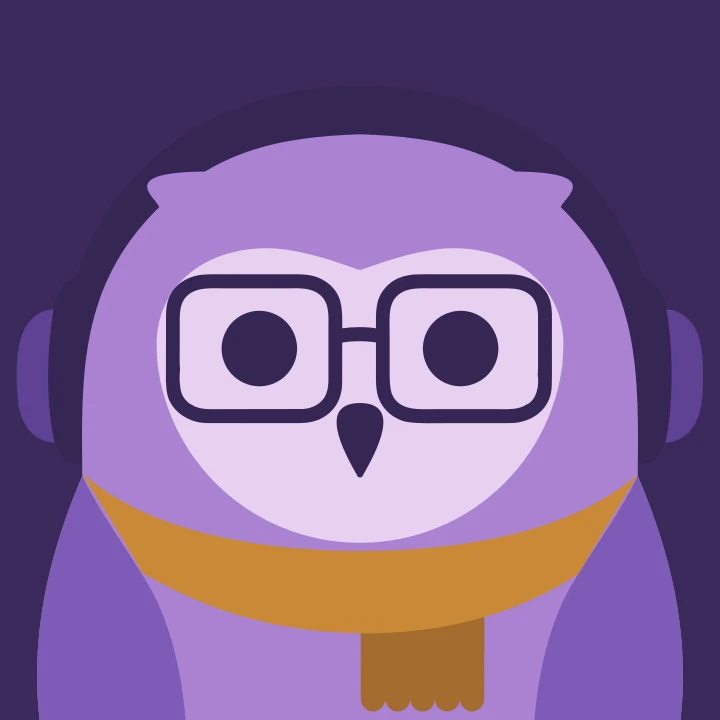
The Gryt Owls
Everyone on a Gryt server has an owl. It's drawn from their name, it's the same owl on every client, and anyone can draw a new hat for it.
Title: The Gryt owls: a deterministic avatar anyone can draw for
Date: 26 August 2026
Author: Sivert Gullberg Hansen
Keywords: avatars, SVG, deterministic generation, design systems, open source
Abstract
Everyone on a Gryt server who hasn't uploaded a picture is now drawn as an owl,
worked out from their nickname by a package called @gryt/owl: give it a name, get
an SVG. DiceBear's model of interchangeable sprite layers read as a sticker sheet, so
the owl is one drawn character instead. The bird's geometry never varies, and a seed
only picks the palette, the ear tufts and what it's wearing. The same seed has to
draw the same owl on every client and across every upgrade, so draws are keyed on
names and nothing touches the platform. There are thirty palettes and fifty
accessories in five slots. A new accessory is a drawing on top of the bare bird,
configured by its filename alone. A bare owl is about 2.1 kB of markup.
1 Introduction
Gryt has had an owl since 2023. It was the logo, it sat in the corner of the login page, and for a while it was a tiny astronaut in some promo art. It was never anybody in particular.
It is now. Everyone on a Gryt server who hasn't uploaded a picture is drawn as an
owl, worked out from their nickname, and the whole thing is a package called
@gryt/owl [1]: give it a name, get an SVG. No renderer, no DOM, no dependencies.
Figure 1 shows seventy-two of them.
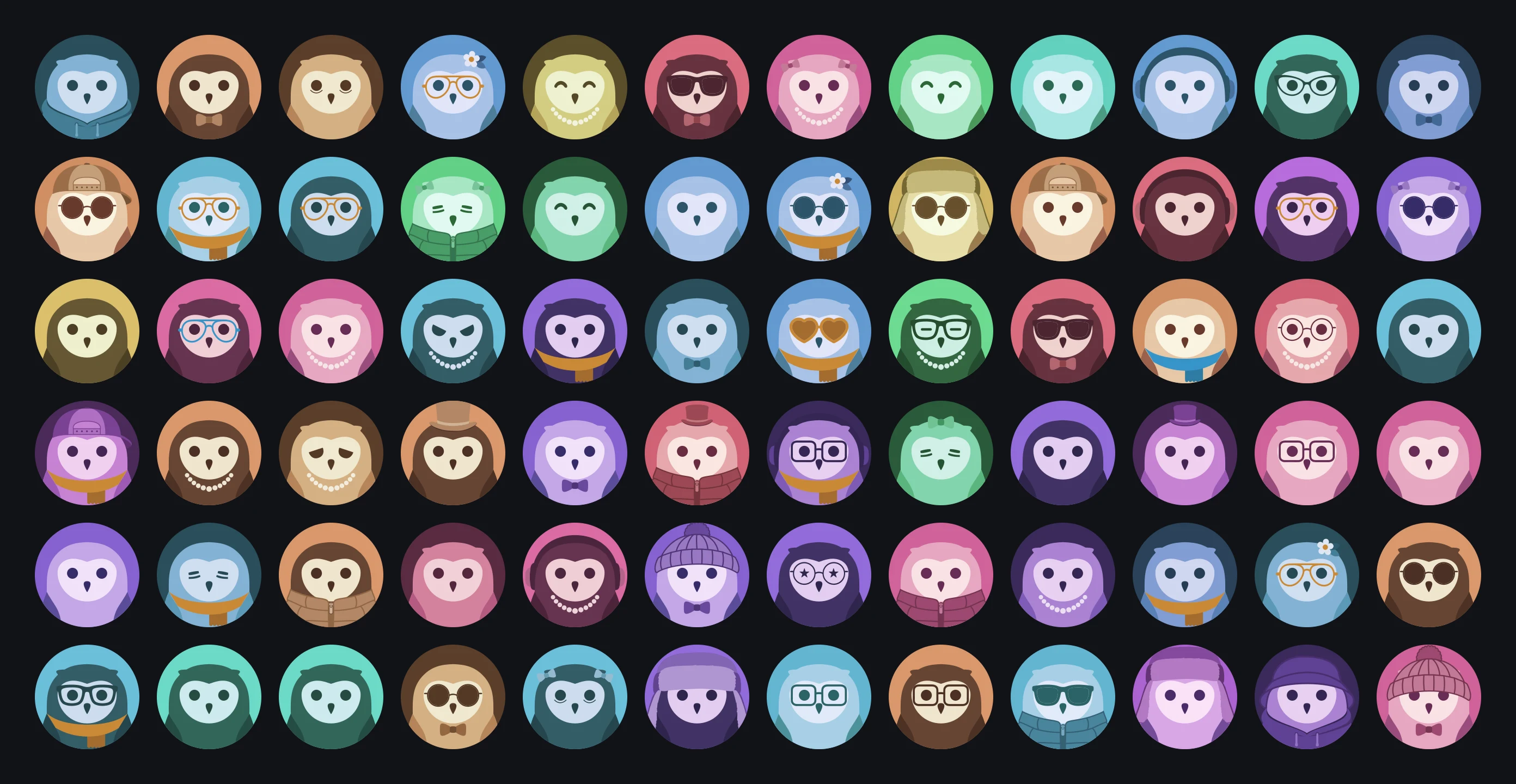 Seventy-two Gryt owls in a grid, each on its own coloured circle — different palettes, expressions, glasses, hats, scarves and jackets
Figure 1: Seventy-two owls, each from a different seed.
This post answers three questions:
- How do you draw a recognisable avatar for everyone that still looks like one product?
- How do you keep someone's owl the same on every client and across upgrades?
- How can anyone add to it without writing code?
2 Related work: DiceBear
The obvious way to build this is DiceBear [2]. It's good, it's free, and it has a dozen styles that would have taken an afternoon to wire up.
I tried it and took it out again, because DiceBear's model is a style definition made of interchangeable sprite layers, and that's not what I wanted. What I wanted was one drawn character with variations. The difference shows up in a member list: layered sprites read as a sticker sheet, and a single character with different colours and hats reads as one product.
3 Design
3.1 Fixed geometry
The bird never varies. The body, the wings, the face plate and the beak are fixed numbers on a 1024 artboard, and they're the same numbers for everyone. What the seed picks is the palette, whether there are ear tufts, and what the bird is wearing (Figure 2).
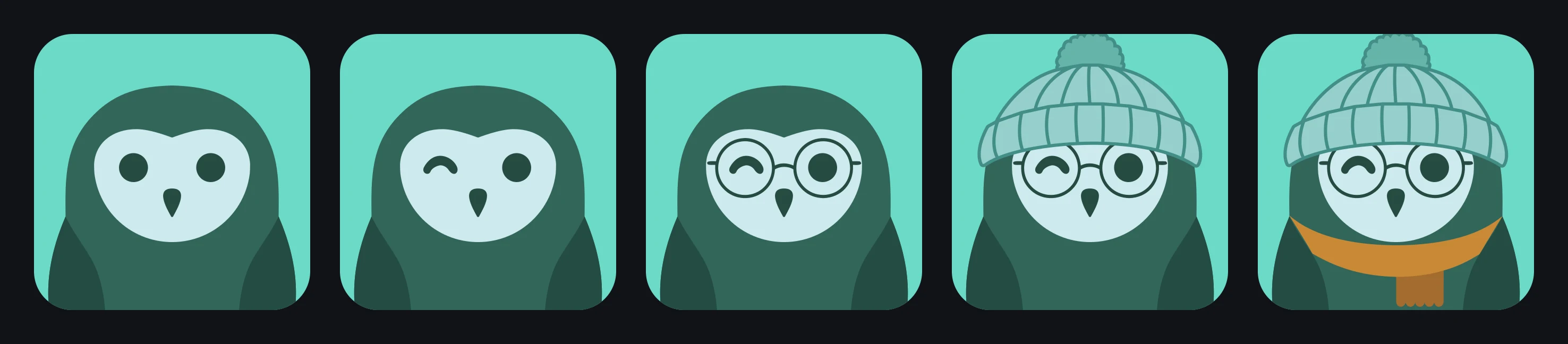 The same teal owl five times, each adding one thing: bare, then a wink, then round glasses, then a knitted hat, then a scarf
Figure 2: One owl, adding a wink, glasses, a hat and a scarf.
Fixed geometry is also what makes the accessories work at all. A pair of glasses is pinned to absolute coordinates, and it lands on the eyes because that's where the eyes are, on every owl, forever.
3.2 The same seed draws the same owl
That has to hold on every client and across every upgrade. A person is recognised by their avatar, so an owl that shifts when the library is bumped has failed at the one job it has.
Two things follow. Every random draw is keyed on a name rather than a position, so
adding a new hat doesn't reshuffle the hats that were already there. And nothing
depends on the platform: no Math.random, no Date, no Intl, no DOM. The tsconfig
drops the DOM library on purpose, so reaching for document is a compile error
instead of a crash on somebody's phone.
Three seeds are pinned in the tests against their exact output. When one of those fails, the question to ask is whether every existing user is about to look different, not what the new value should be.
3.3 Thirty palettes
Ten hues in three schemes: night, day and dusk (Figure 3). The hues aren't picked by
eye. They come from TILE_HUES, the list a voice tile's tint snaps to. So the colour
of your avatar and the colour of your tile in a call are the same colour rather than
two shades that nearly match.
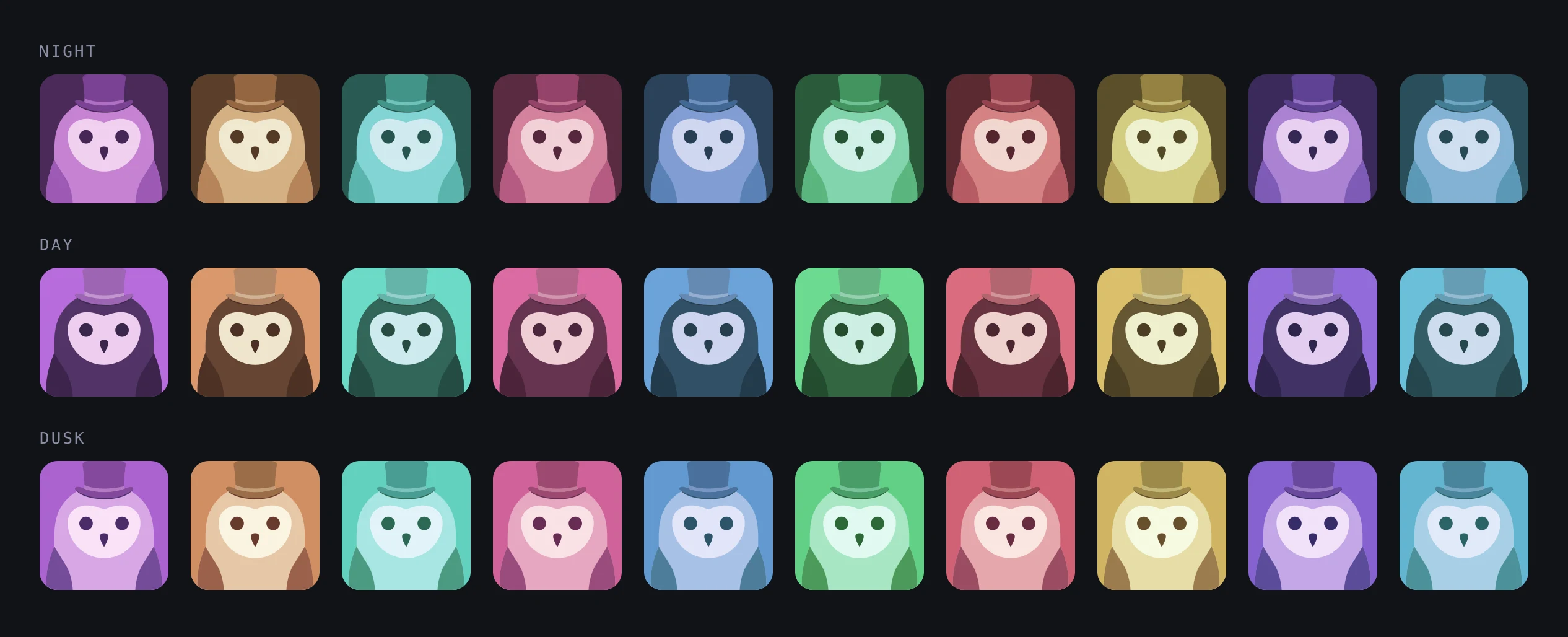 One seed drawn in all thirty palettes: ten hues across three rows labelled night, day and dusk
Figure 3: One seed in all thirty palettes.
An accessory names a colour role rather than carrying a hex value, which is why a teal owl and a pink owl can wear the same hat in their own colours.
3.4 Five slots
There are five slots, rolled independently, so a hat and glasses and a scarf can all turn up at once. A slot can also come up empty, and empty is the most common outcome in every one of them. Table 1 counts the drawings, and Figure 4 shows them all.
Table 1: Accessories by slot.
| Slot | Drawings |
|---|---|
| Expression | 19 |
| Glasses | 8 |
| Head | 18 |
| Neck | 3 |
| Clothes | 2 |
| Total | 50 |
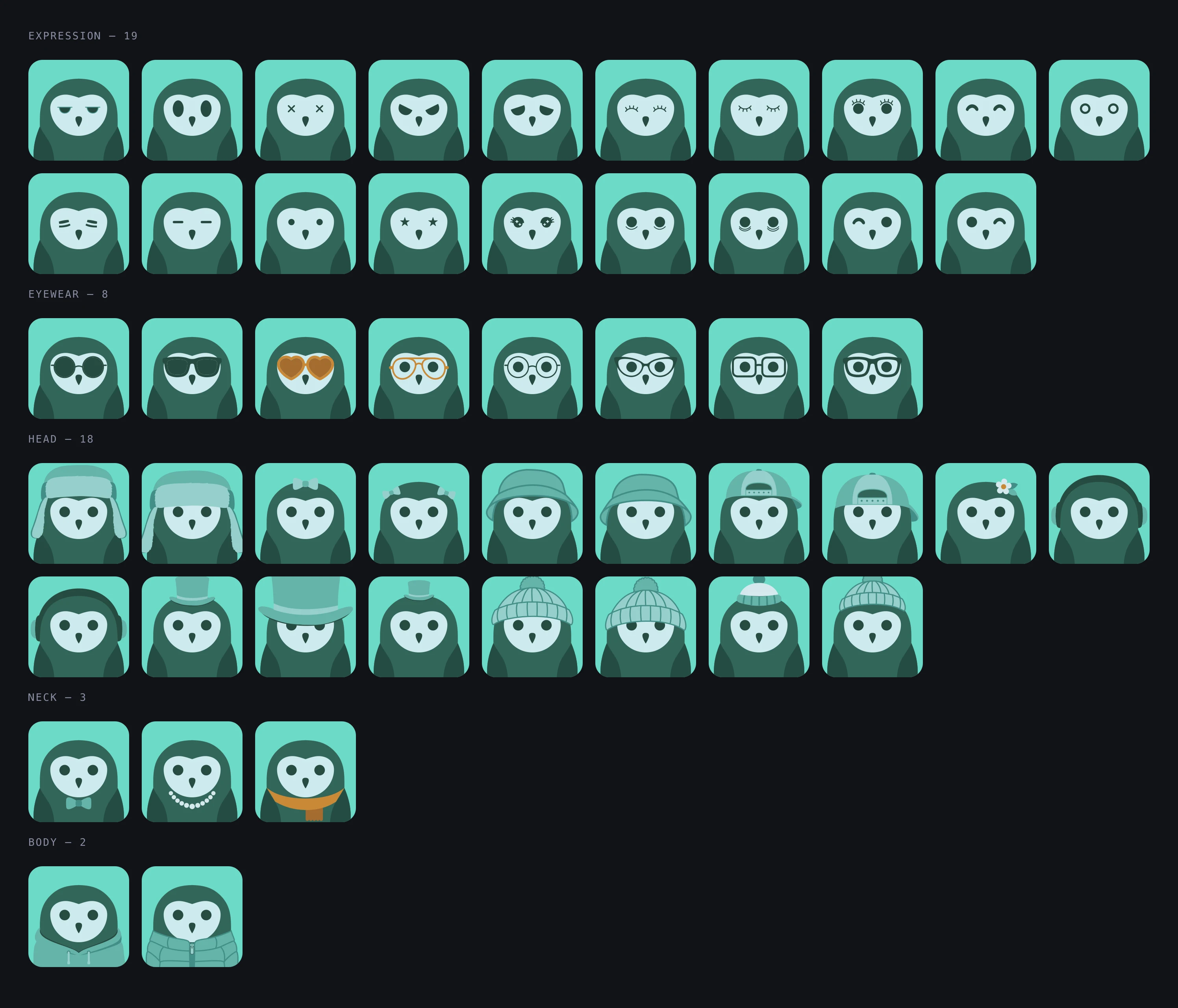 Every Gryt owl accessory grouped by slot on the same teal bird: 19 expressions, 8 pairs of glasses, 18 hats, 3 neck pieces and 2 items of clothing
Figure 4: Every accessory, grouped by slot, on the same bird.
3.5 The filename is the configuration
Adding an accessory doesn't involve writing SVG path data or editing a manifest. You
export the bare bird, draw on top of it, and save the file with a name that says what
it is (Figure 5). Winter_Hat.svg is a hat because "hat" is in the filename.
Heart_Glasses.rare.svg is eyewear that turns up less often than the rest.
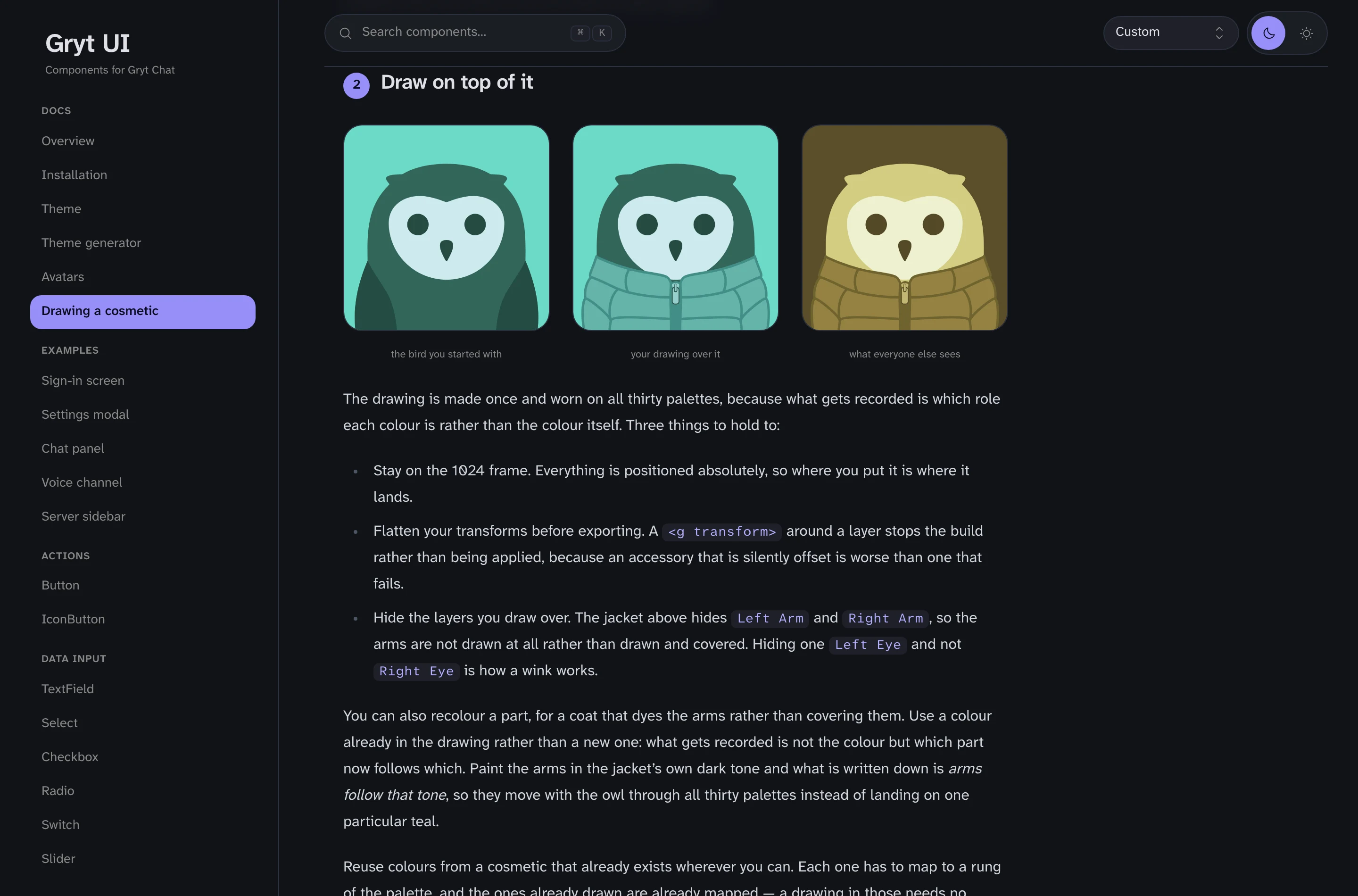 The 'Drawing a cosmetic' walkthrough on ui.gryt.chat, showing the bare bird, the same bird with a puffer jacket drawn over it, and the finished jacket recoloured onto a gold palette
Figure 5: The drawing walkthrough: the bare bird, a jacket drawn over it, and the jacket on another palette.
Two things travel with the drawing without being written down anywhere. Which of the bird's own layers you hid is which parts the accessory replaces, so a wink is one hidden eye and a coat is two hidden arms. And where you put the drawing relative to the bird's group says whether it's worn in front or behind. That's how a headset gets its band behind the head.
Colours aren't configuration either. One table maps the colours accessories are drawn in to palette roles, so a drawing that reuses colours already in use needs nothing at all. A colour nothing knows about stops the build and prints the line to add.
To check a drawing before opening a pull request, there's a command that needs nothing but Node:
npx @gryt/owl check my-hat.svg
It tells you whether the filename gives it a slot, whether it's on the 1024 frame, whether the transforms are flattened, how much of the bird it found, and what's left once the bird is subtracted back out. It exits non-zero when the drawing wouldn't build, so it can hang off a commit hook.
4 Results
4.1 Where the owls appear
The web client, the desktop app and the phone app all draw people from this same
file, so your owl is the same owl in all three (Figure 6). Voice tiles take their
tint from it. @gryt/ui's Avatar generates one when it has a seed and no image, and
@gryt/ui-native's does the same through react-native-svg [3].
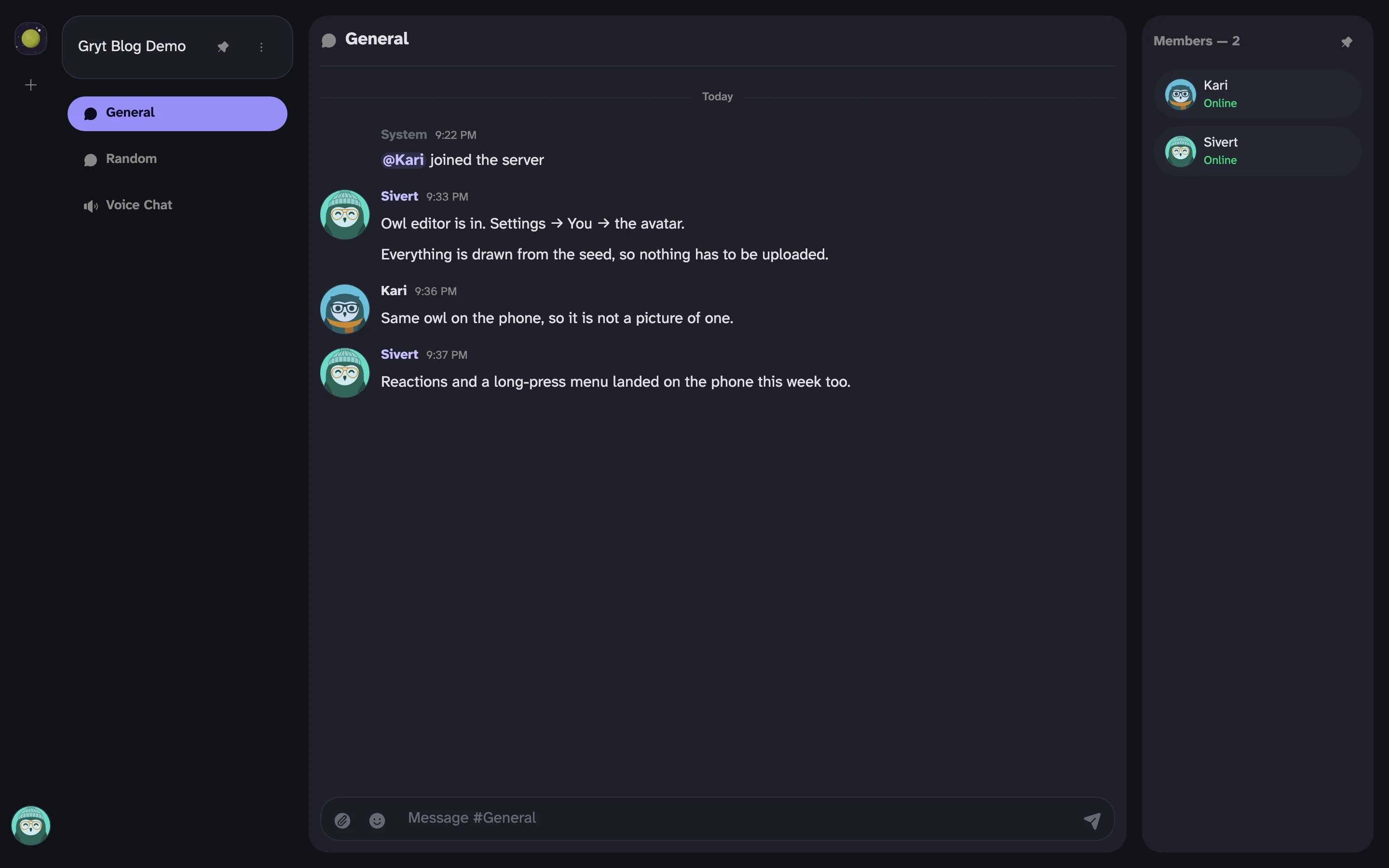 A Gryt channel in the desktop client, dark theme, with two members drawn as owls in the message list and the member rail
Figure 6: Two members drawn as owls in the desktop client.
4.2 Size
A bare owl is about 2.1 kB of markup, and about 4.1 kB with accessories on.
5 Discussion
5.1 Draw one
Figure 7 is the bird you start from.
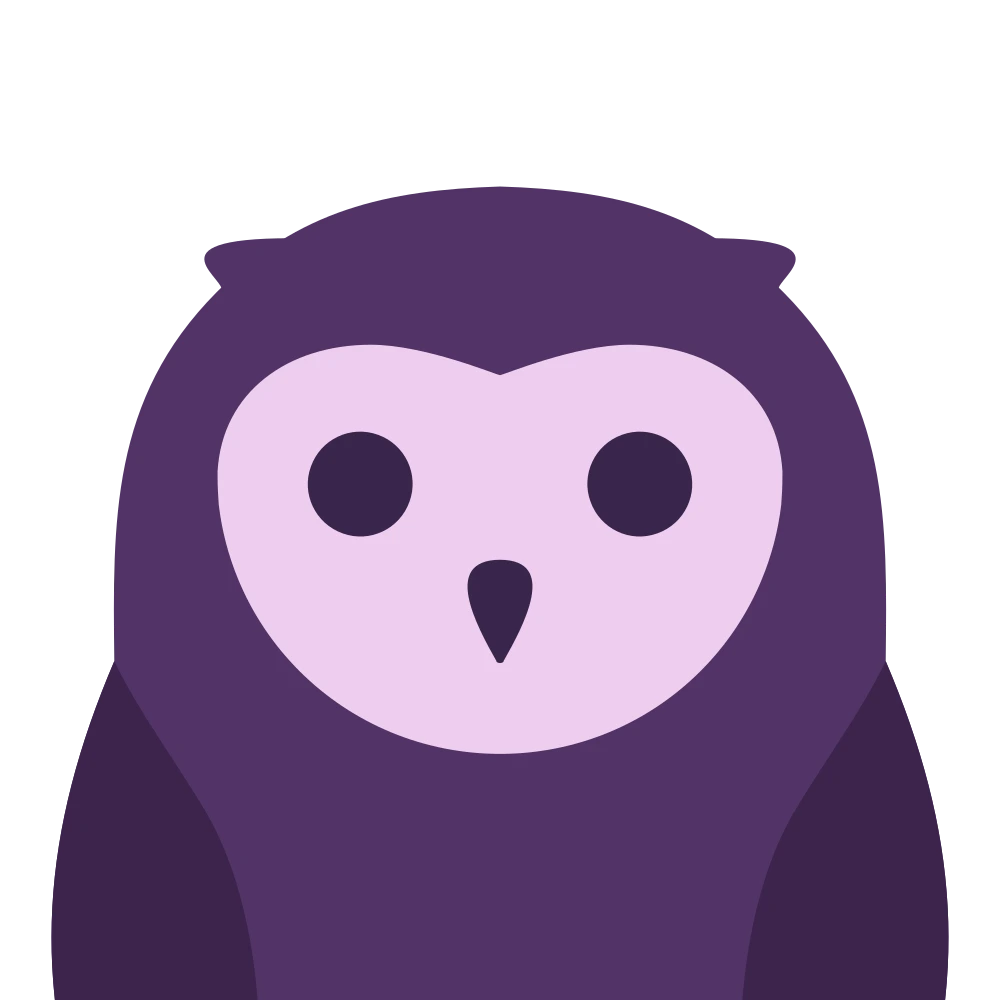 The bare Gryt owl with no accessories and no background, the base drawing an accessory is made on top of
Figure 7: The bare owl every accessory is drawn on.
Most of the fifty were drawn in Figma against Build A Gryt [4], a community file that
carries that bird as a component, with a layer per part and a walkthrough. Open it,
duplicate it, draw a hat on the bird, export, and the filename does the rest. If
you're not in Figma, one command writes the same bird out as an SVG with the same
layers (Left Eye, Right Arm, Nose) and you can draw on that instead.
The full walkthrough, with the bird to download and a worked example, is on the drawing page [5]. The avatars page next to it (Figure 8) draws every owl on it live, and counts how often each accessory turns up out of three thousand seeds, so the numbers on the page can't drift from the weights in the code.
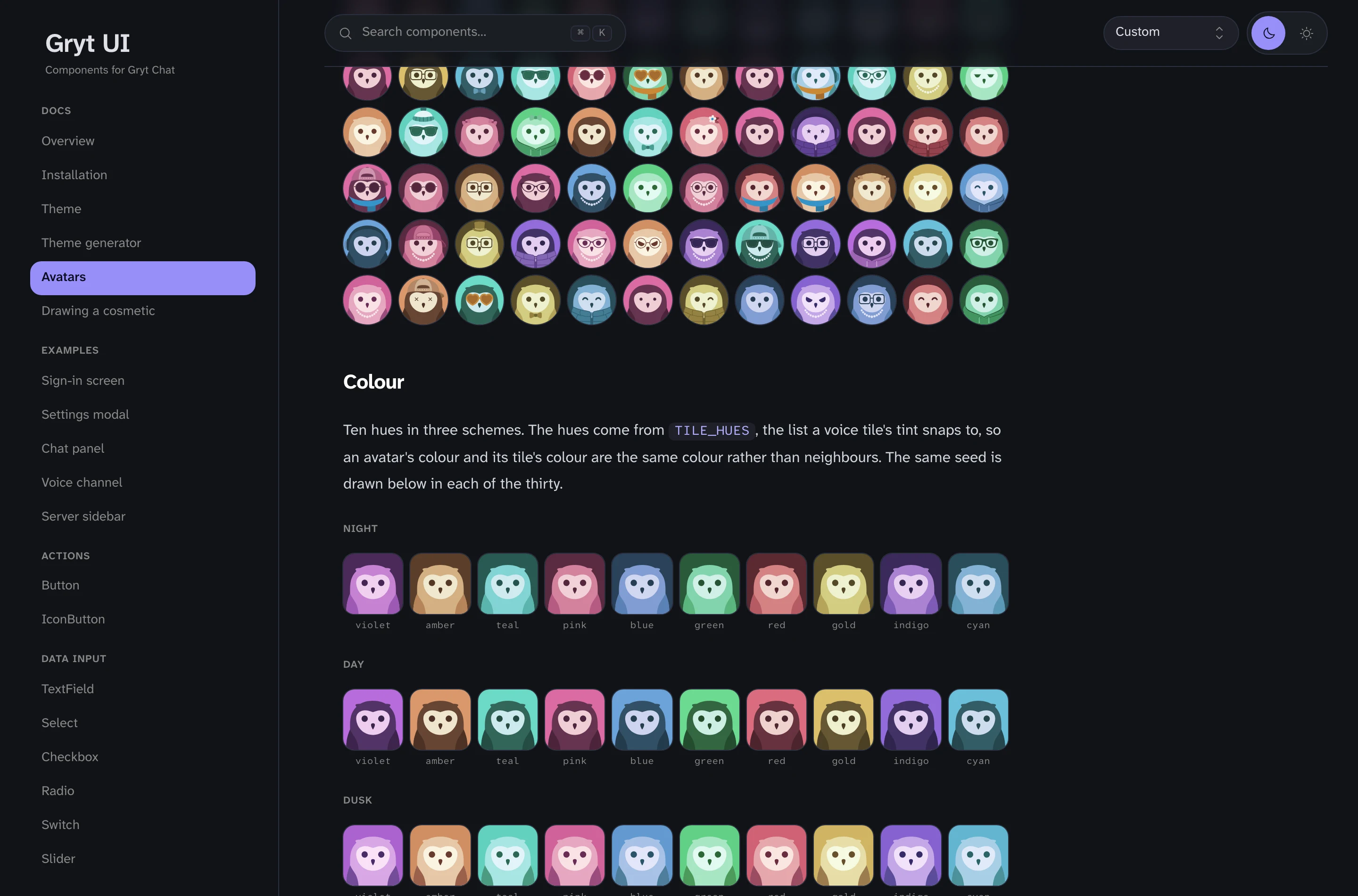 The Avatars page on ui.gryt.chat: part of its contact sheet above a Colour section showing the same seed in all thirty palettes
Figure 8: The avatars page on ui.gryt.chat.
5.2 Limitations
- Server icons are still DiceBear Planets. A server isn't a person and shouldn't be drawn as one.
- The owl your name produces is the one you get, unless you choose your own. As of this week you can, from inside the client, which has its own post.
5.3 Licence
The package is MIT, like the rest of the UI packages and unlike the AGPL-3.0 apps
that use them. bun add @gryt/owl and it'll draw owls for something that isn't Gryt.
6 Conclusion
How do you draw an avatar for everyone that still looks like one product? One drawn character with fixed geometry, varied only by palette and what it wears.
How do you keep someone's owl the same? Key every draw on a name, keep the platform out of it, and pin real seeds in the tests.
How can anyone add to it? Draw on the bare bird and name the file. The slot, the rarity, the hidden parts, front or behind and the colours all come from the drawing and its name.
References
- Gryt. @gryt/owl. https://www.npmjs.com/package/@gryt/owl
- DiceBear. https://www.dicebear.com
- react-native-svg. https://github.com/software-mansion/react-native-svg
- Build A Gryt, Figma community file. https://www.figma.com/community/file/1674379263156144233/build-a-gryt
- Gryt UI. Drawing a cosmetic. https://ui.gryt.chat/avatars/drawing