Gryt 1.15: The Call Beside Your Chat
A new voice view, several shared windows at once, and an easier way to approve a new device.
1.15 is the biggest release in a while. The voice view is new, you can share more than one window, and setting up a new device takes one scan. It also brings over your Discord DMs, which got its own post.
The call sits beside your chat
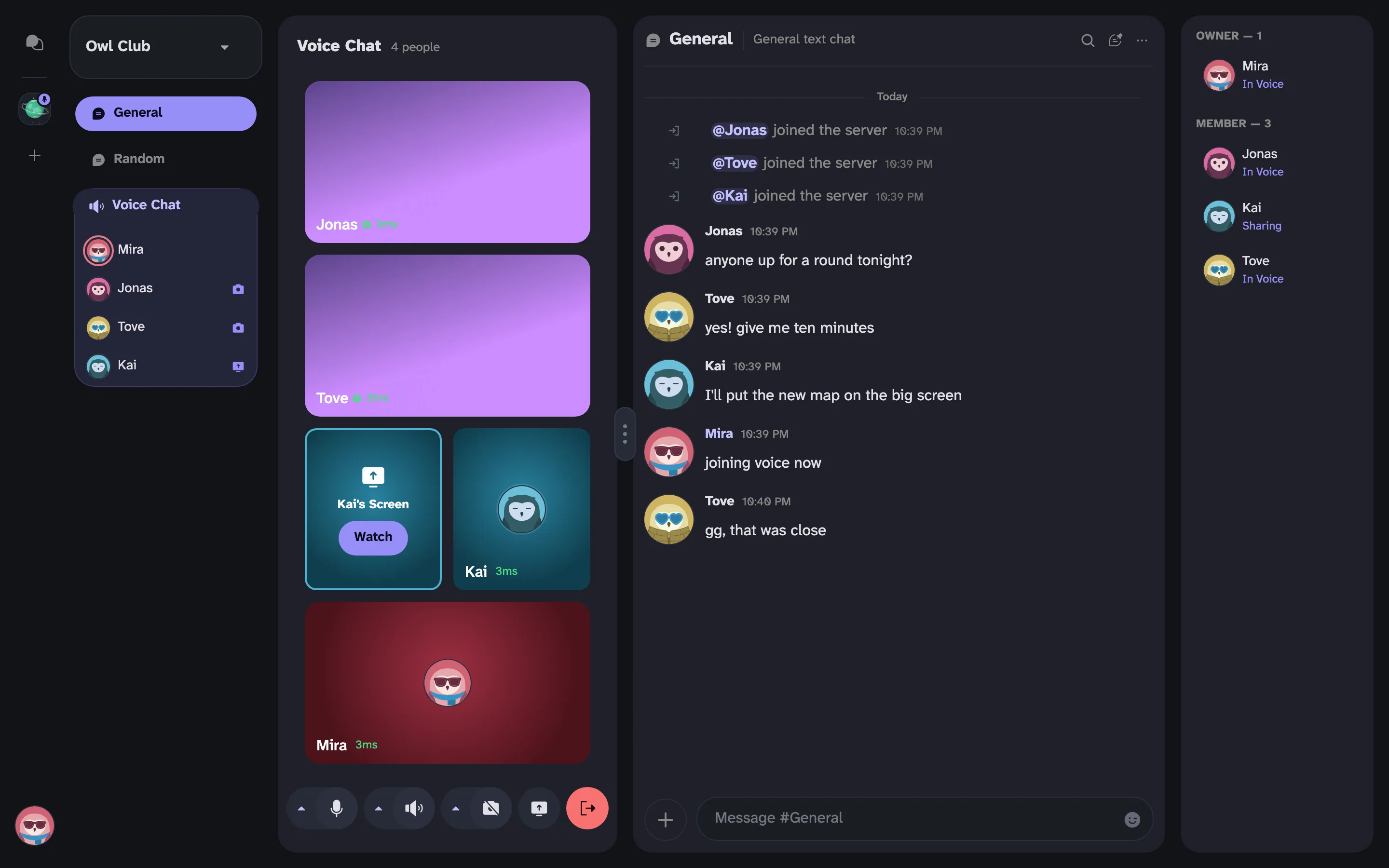
Clicking a voice channel used to take you away from what you were reading. Now the call opens next to it. A grip between them sizes the call: one camera wide, about two thirds, the whole middle, or hidden. Tiles fill the space, with screen shares first, then cameras, then everyone else.
A voice channel open beside the General chat, with two cameras, a screen share waiting behind a Watch button, and the call controls underneath
Messages in the call's chat pop up as bubbles on the sender's tile, and you can reply or react from there. With the call hidden, people's cameras show as small live dots in the channel list.
There's a fullscreen button too, and a pop-out that puts the call in a small window of its own. It can stay on top of a game.
Mic, headset and camera each have a small arrow now for picking your device. The camera shows you a preview before anyone else sees you.
Share several windows
The picker shows every window, and each one you pick gets its own quality and sound. A shared window only sends its own sound, never the rest of your computer's.
Viewers get a Watch tile for each window, with its name and its own volume. Nothing is sent to them until they press Watch.
New devices and your key
A new computer shows a code. Point your phone at it, check that four pictures match, and tap Approve. On a Mac, Gryt can get your key from iCloud Keychain, the same place the iPhone keeps it, so a Mac on your Apple ID doesn't need approving at all.
The message password is gone. Gryt used to keep a password-locked copy of your key on your account, and anyone who got hold of the server's database could keep guessing that password. A device that has your key removes the old copy by itself. You've still got your 24 words, and you can now save them as a file or show them as a code to scan.
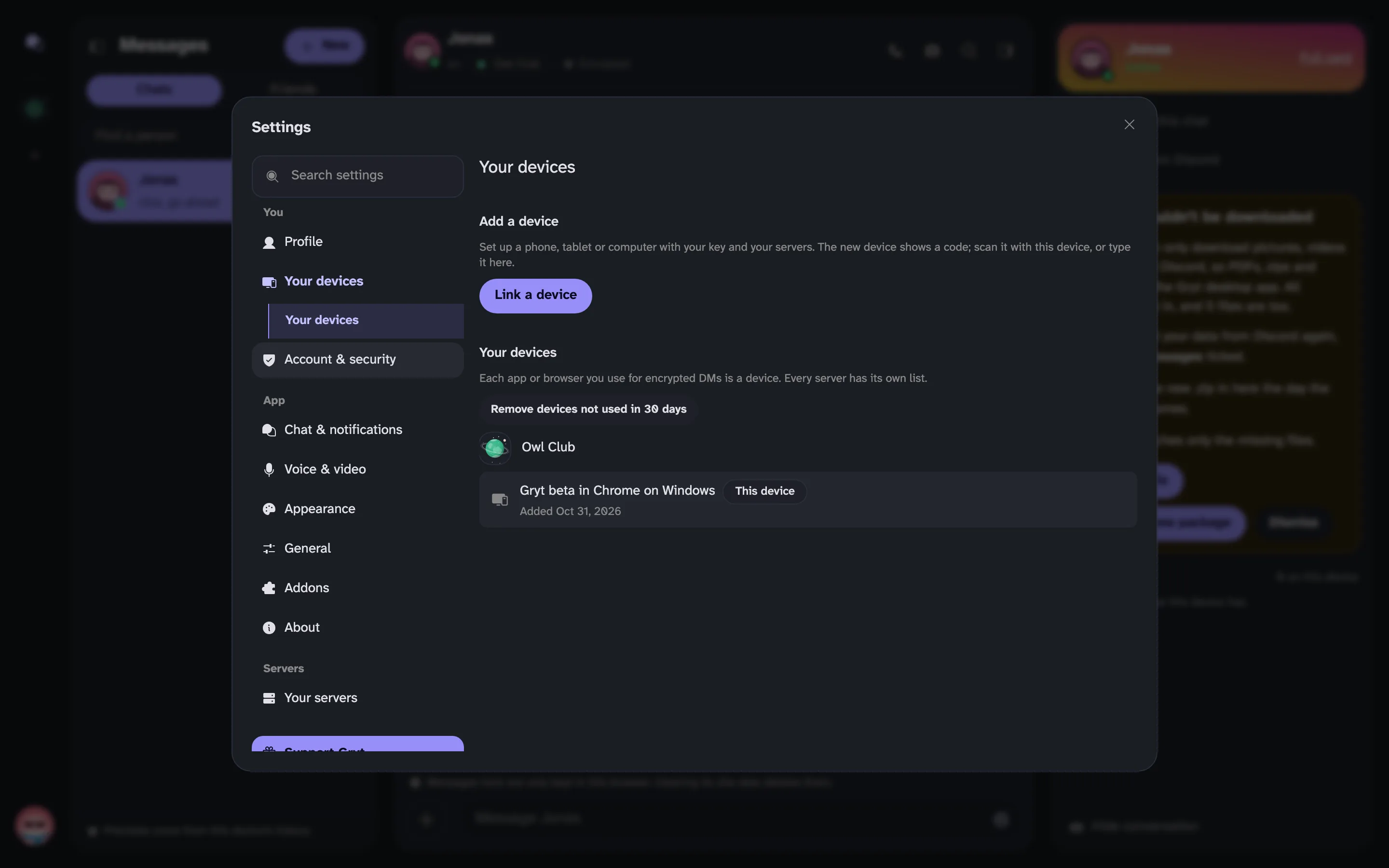 Settings, Your devices, with a Link a device button and the list of devices per server
Only your own devices can change your key now. If you've lost every device and your 24 words, "Lost everything?" gives you a new key after 30 days, and until then any of your devices can stop it.
Smaller things
- The message box shows formatting as you type, with a format bar when you select text.
- Gryt tells you how many people @everyone will notify and waits for you to confirm.
- Unread counts survive a restart and follow you to your other devices. Your server needs to be on 1.12.2 for this.
- The server's name opens its menu.
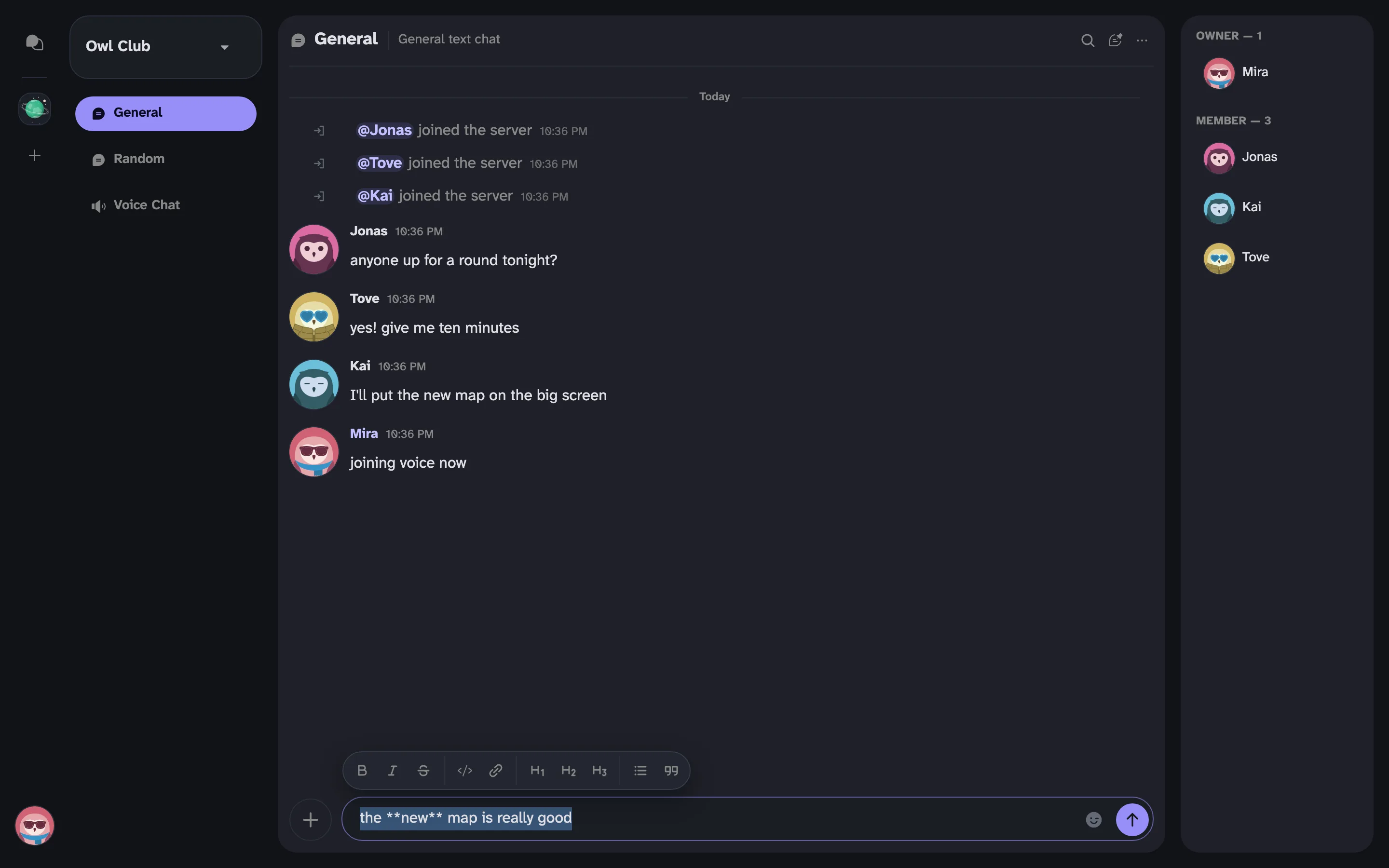 The message box with text selected and the format bar above it
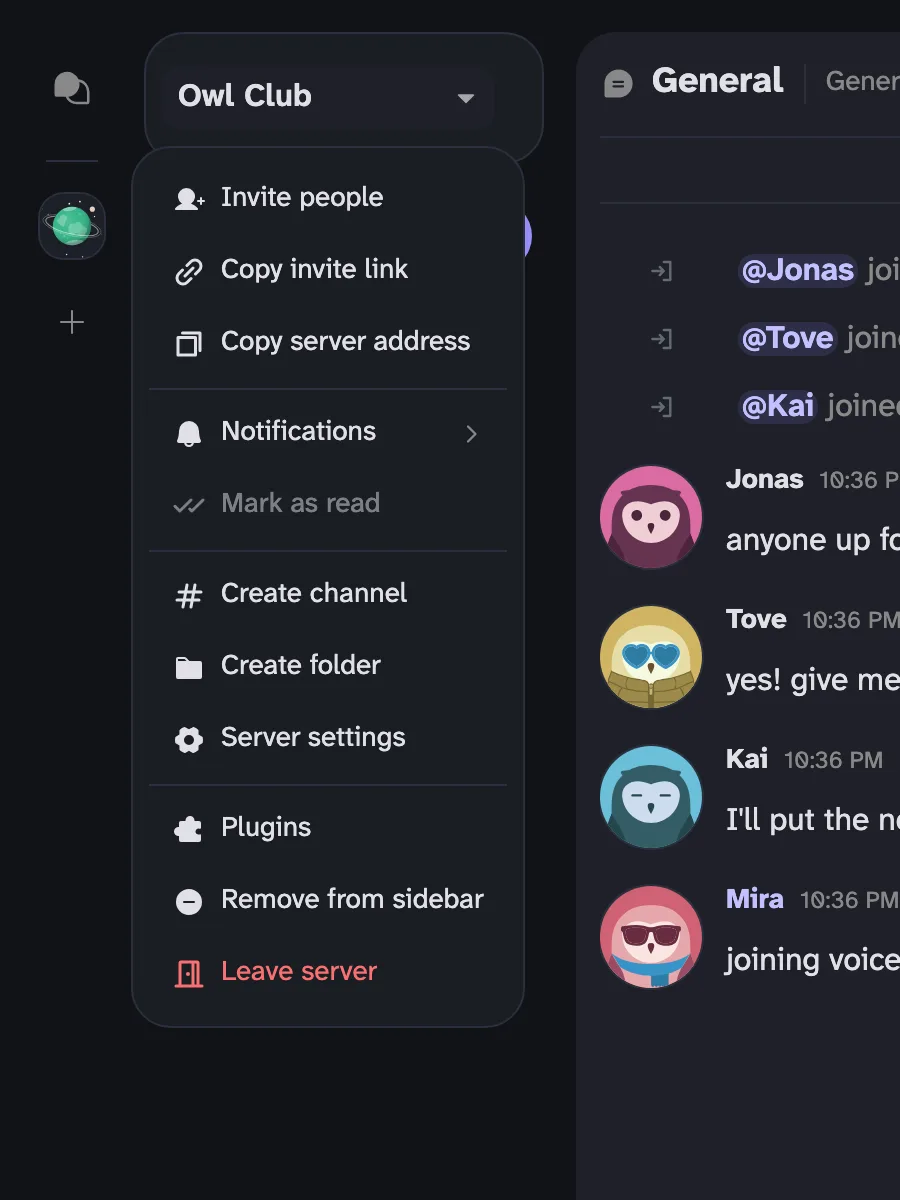 The server menu, opened from the server's name
The rest is in the changelog.
Found a bug?
Click your avatar in the bottom left and choose Report a bug, or open the You tab on the phone. It's also under Settings → About. Write what happened and what you were doing when it did.
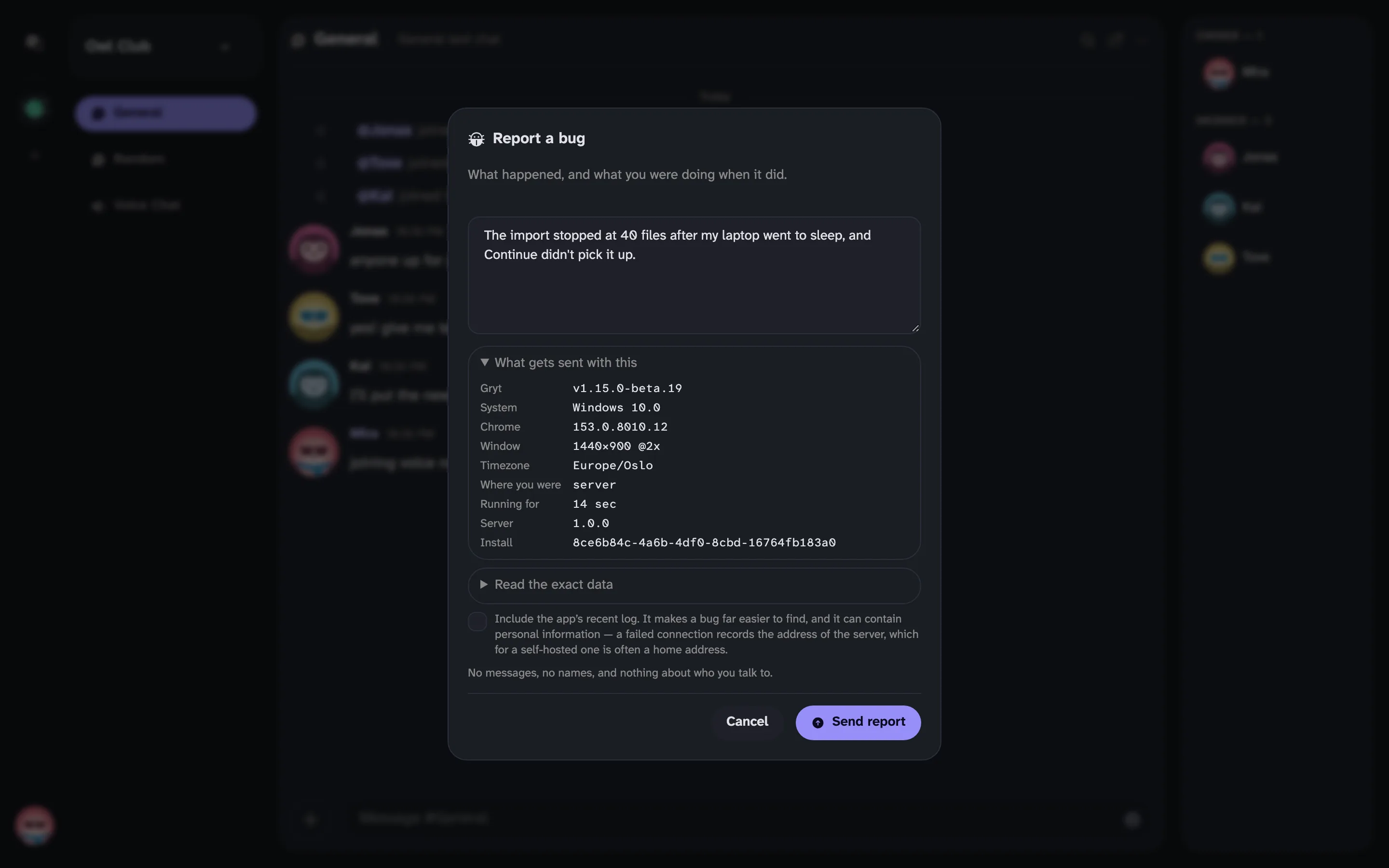 The Report a bug form, with a sample report and the list of what gets sent with it