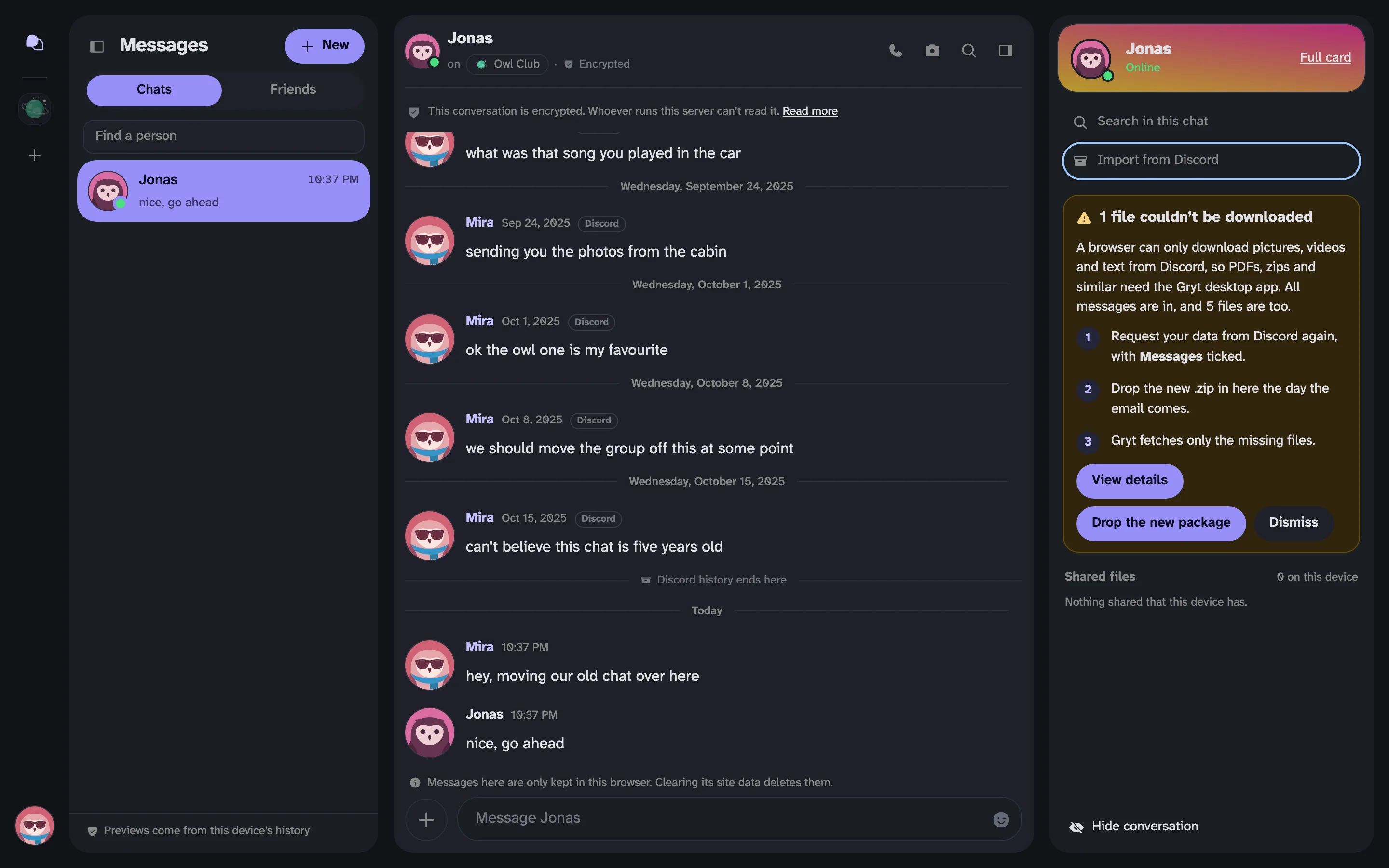
Bring Your Discord DMs to Gryt
Gryt 1.15 imports your Discord DMs from the data package Discord gives you, encrypted and with their dates.
Years of conversations are the hardest thing to leave behind when you move off Discord. So 1.15 lets you bring your DMs with you.
Gryt never logs in to Discord and never asks for your password. You ask Discord for a copy of your data, and your own computer reads it.
How it works
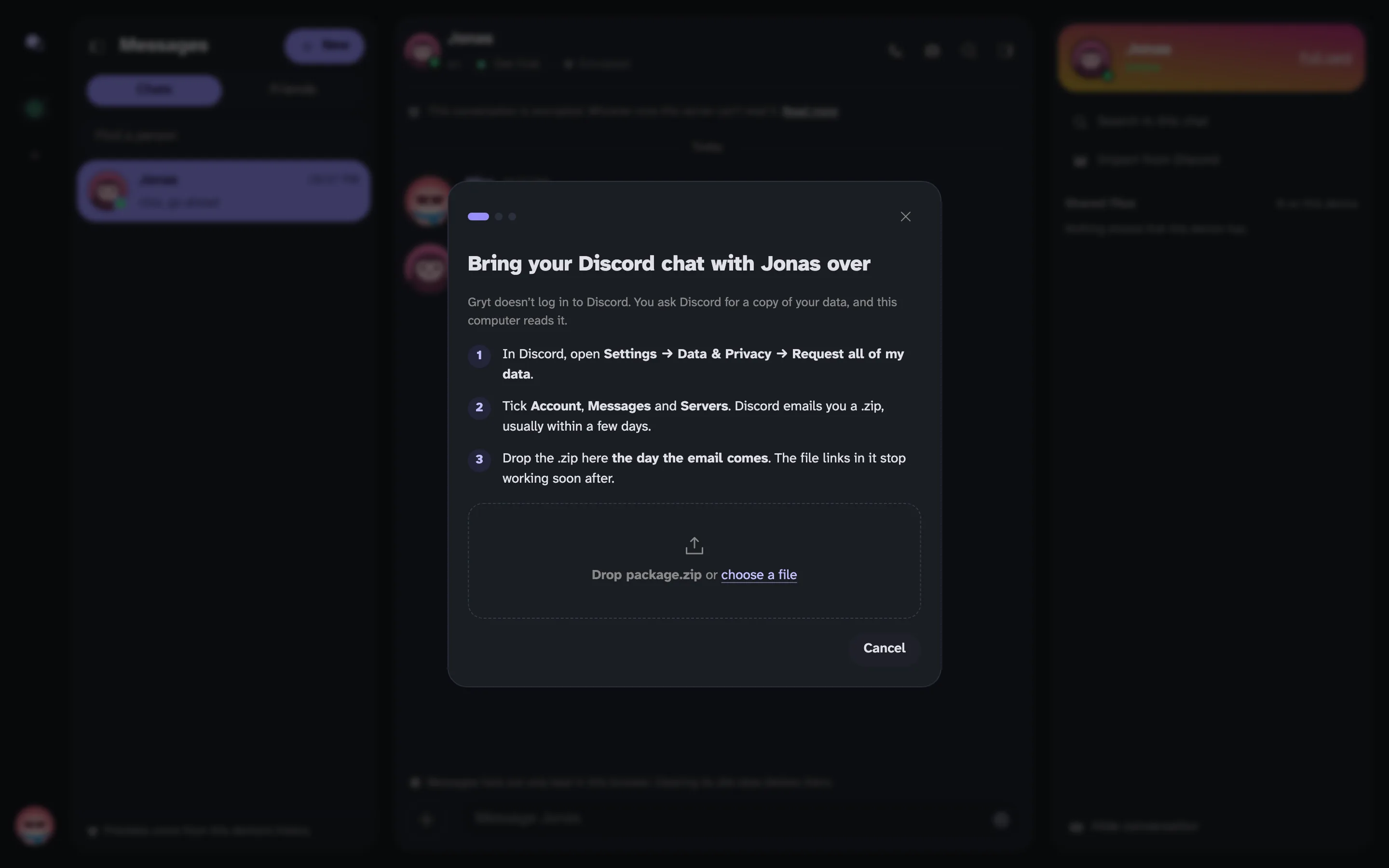 The import dialog, with three steps for getting your data from Discord and a place to drop the .zip
- In Discord, open Settings → Data & Privacy → Request all of my data.
- Tick Account, Messages and Servers. Discord emails you a .zip, usually within a few days. Mine took two.
- In Gryt, open the DM with that person, and start the import from the side panel.
- Drop the .zip in and pick the chat. The one you talk most in is at the top.
Try to do it the day the email comes. The file links in the package stop working soon after, and then only your messages can come over. If that happens, you can request a new package to get the files.
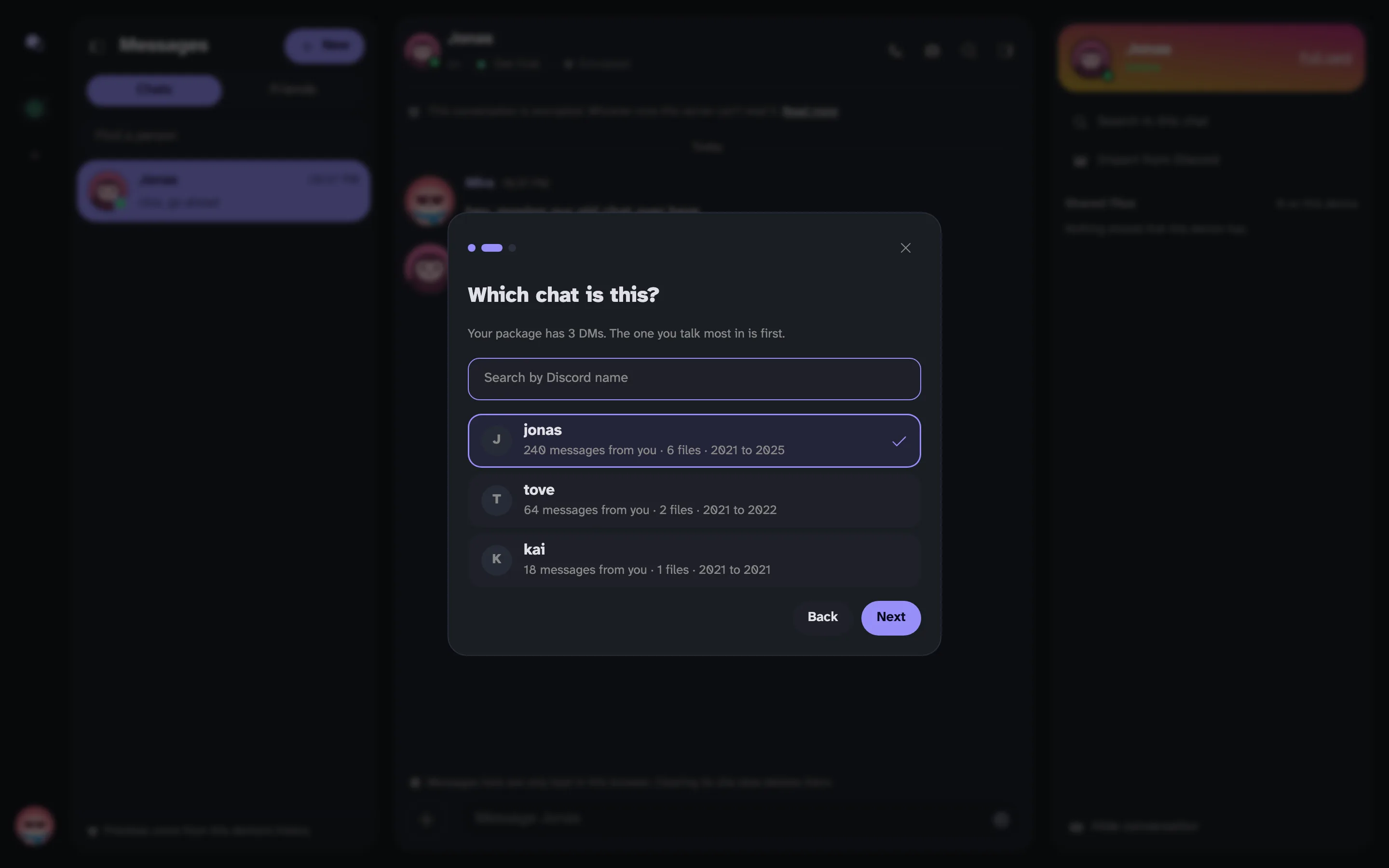 Picking the chat. The package lists three DMs, with how many messages and files each one has
Before it starts, Gryt shows how many messages and files it found, and how long Discord's file links last.
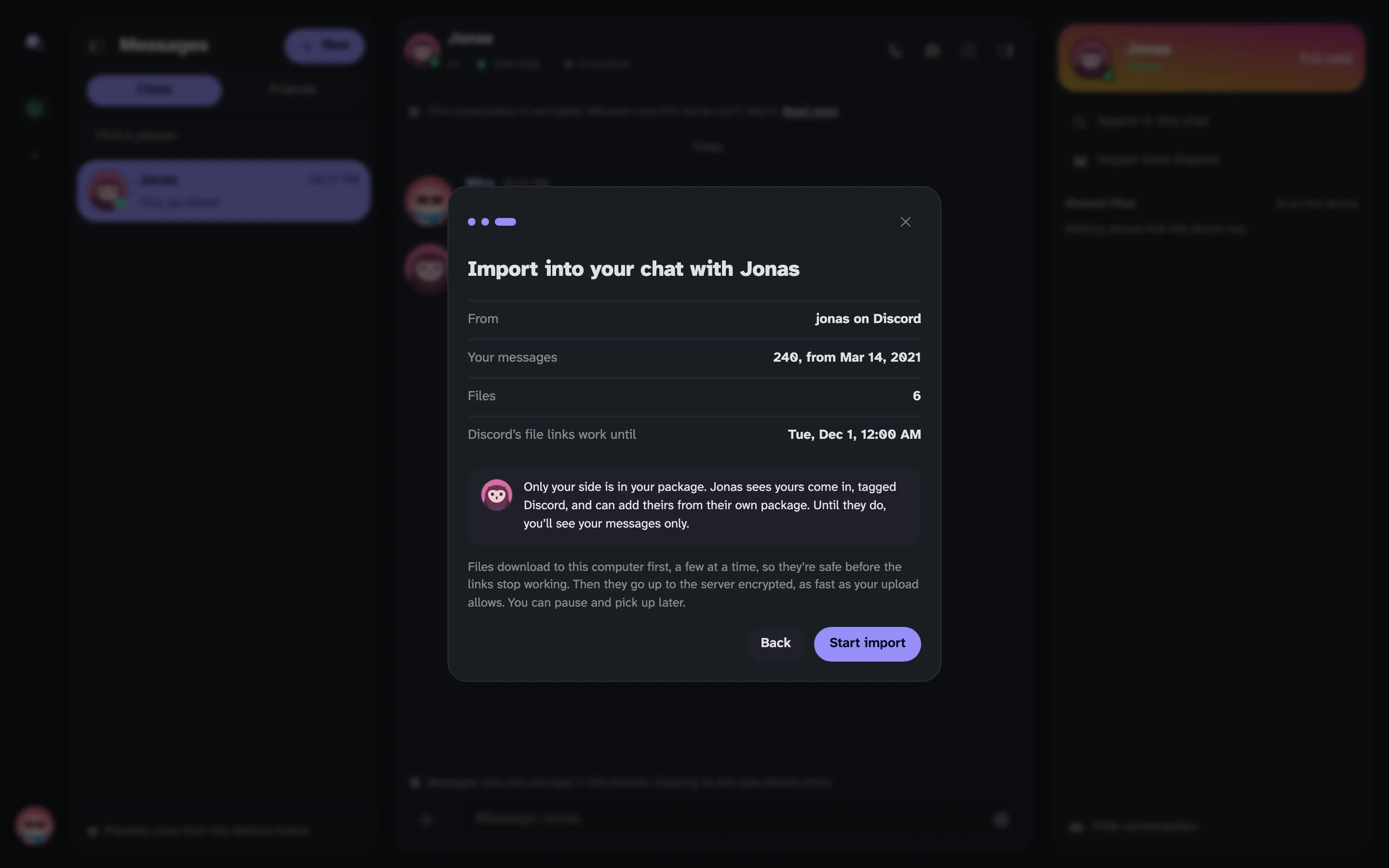 The last step, with the message count, the file count and when the links stop working
What comes across
Your messages and their files, with their original dates. Files download to your computer first, then go up to the server encrypted. You can pause and pick it up later.
Imported messages sit in the conversation under their old dates, each with a small Discord tag. A line marks where the Discord history ends.
An imported conversation. Each message has its old date and a Discord tag, and a line says Discord history ends here
When it's done you get a receipt. If any files didn't make it, it lists them, says why, and lets you try those again. In a browser, Discord only hands over pictures, videos and text, so PDFs, zips and the like need the desktop app.
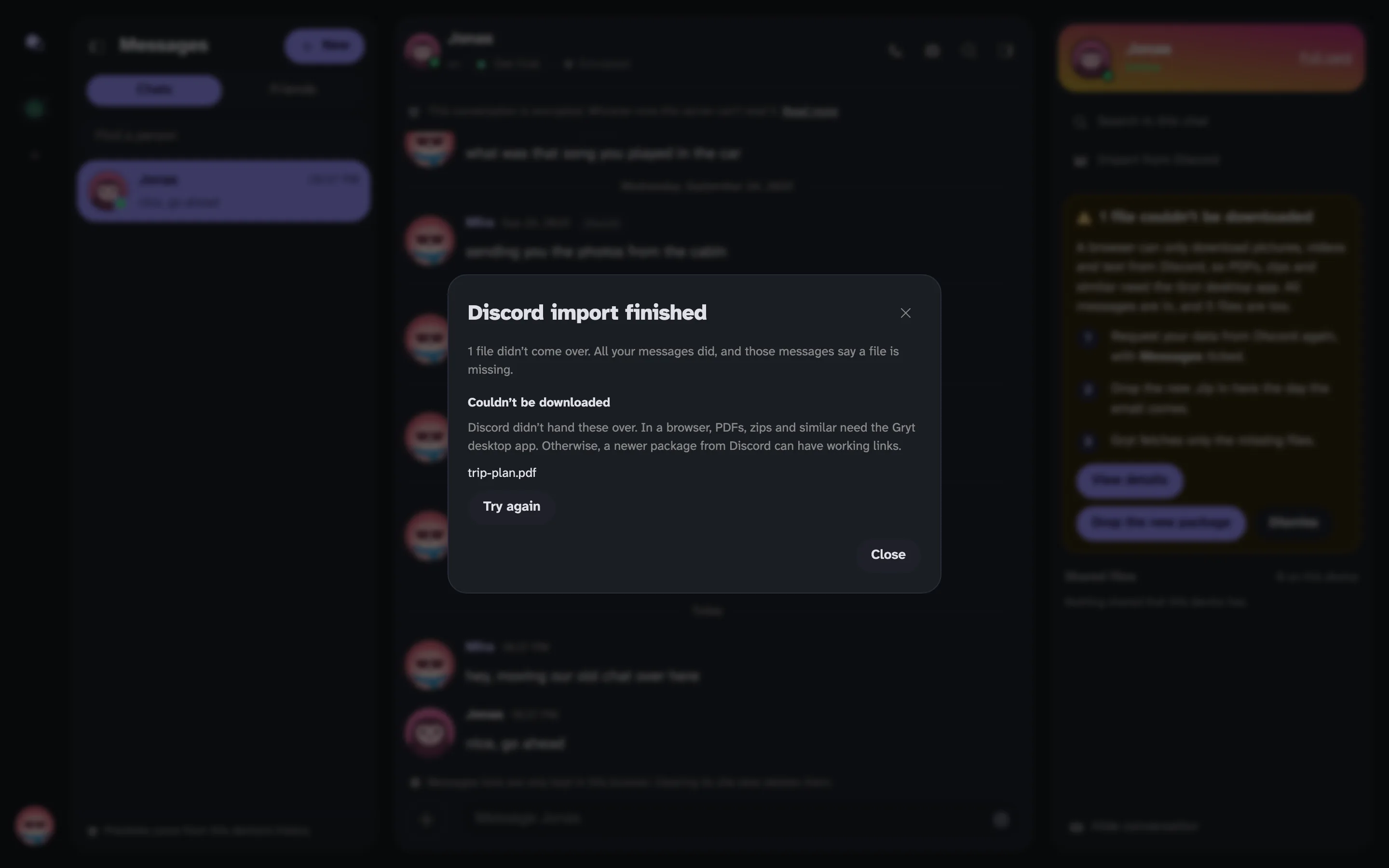 The receipt, saying one file didn't come over, with its name and a Try again button
What doesn't
The other person's messages. Discord's package only holds what you wrote. The other person sees yours come in, tagged Discord, and can add their side from their own package. Until they do, it's a one-sided conversation.
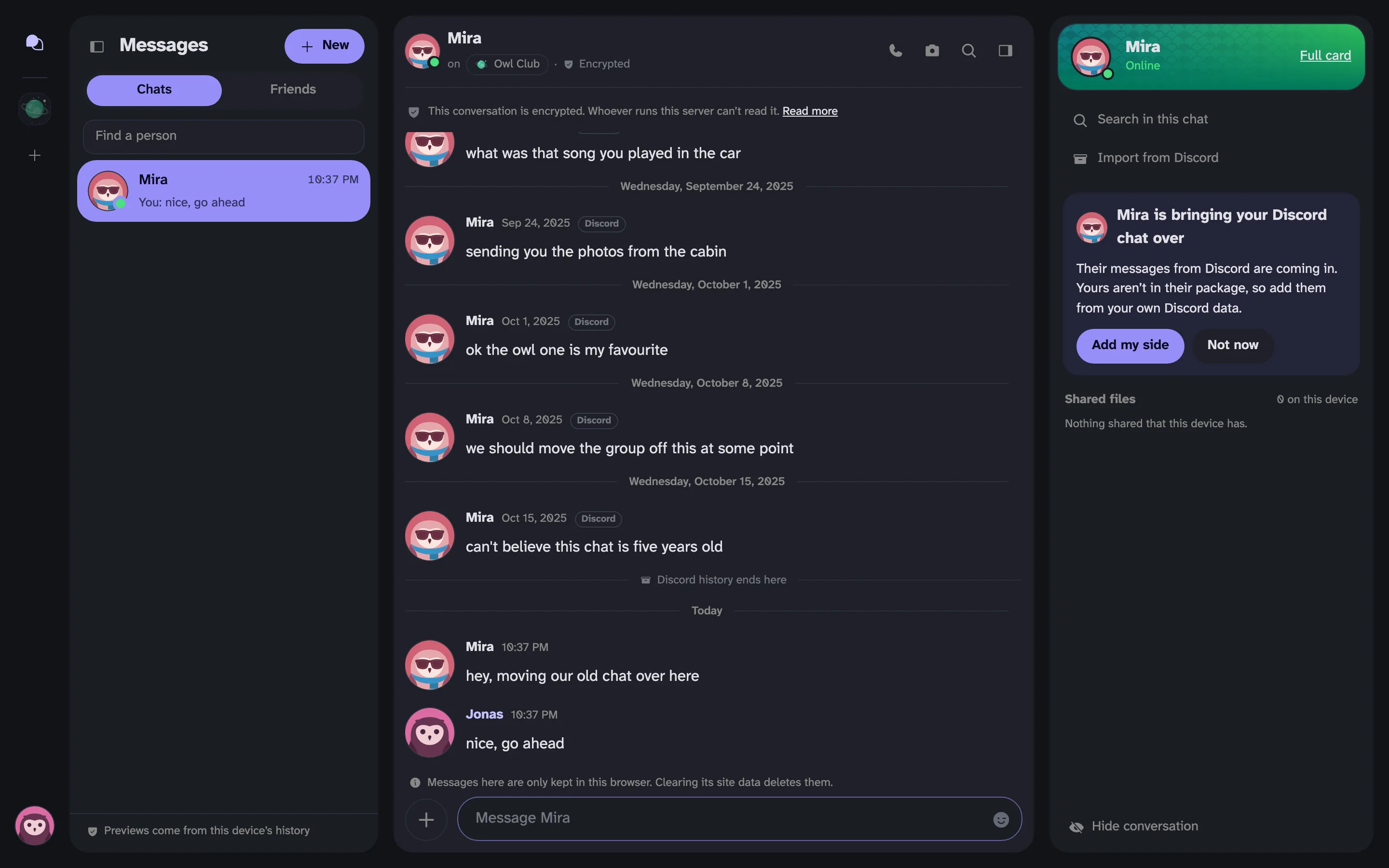 The other person's view, with a card saying Mira is bringing your Discord chat over and an Add my side button
Reactions. They aren't in the package.
Can an import fake old messages?
The date on an imported message is whatever the package says, and nobody can check that. So an edited package could claim you said something years ago, and I didn't want an import to work as false proof.
Every imported message is marked as coming from Discord. Hover the time and you'll see when the server actually received it.
What's next
This is for DMs only. Discord's package has no server history in it, so it can't bring a server over. A bot that imports a whole server is still being built, along with a bridge so both sides can talk while a community moves.
The phone can do imports too, but so far only in the tester builds.
If something looks wrong
It's new, so tell me. Click your avatar in the bottom left and choose Report a bug, or open the You tab on the phone. Say which step it stopped at and roughly how big the chat was. Open What gets sent with this to see what goes with the report.
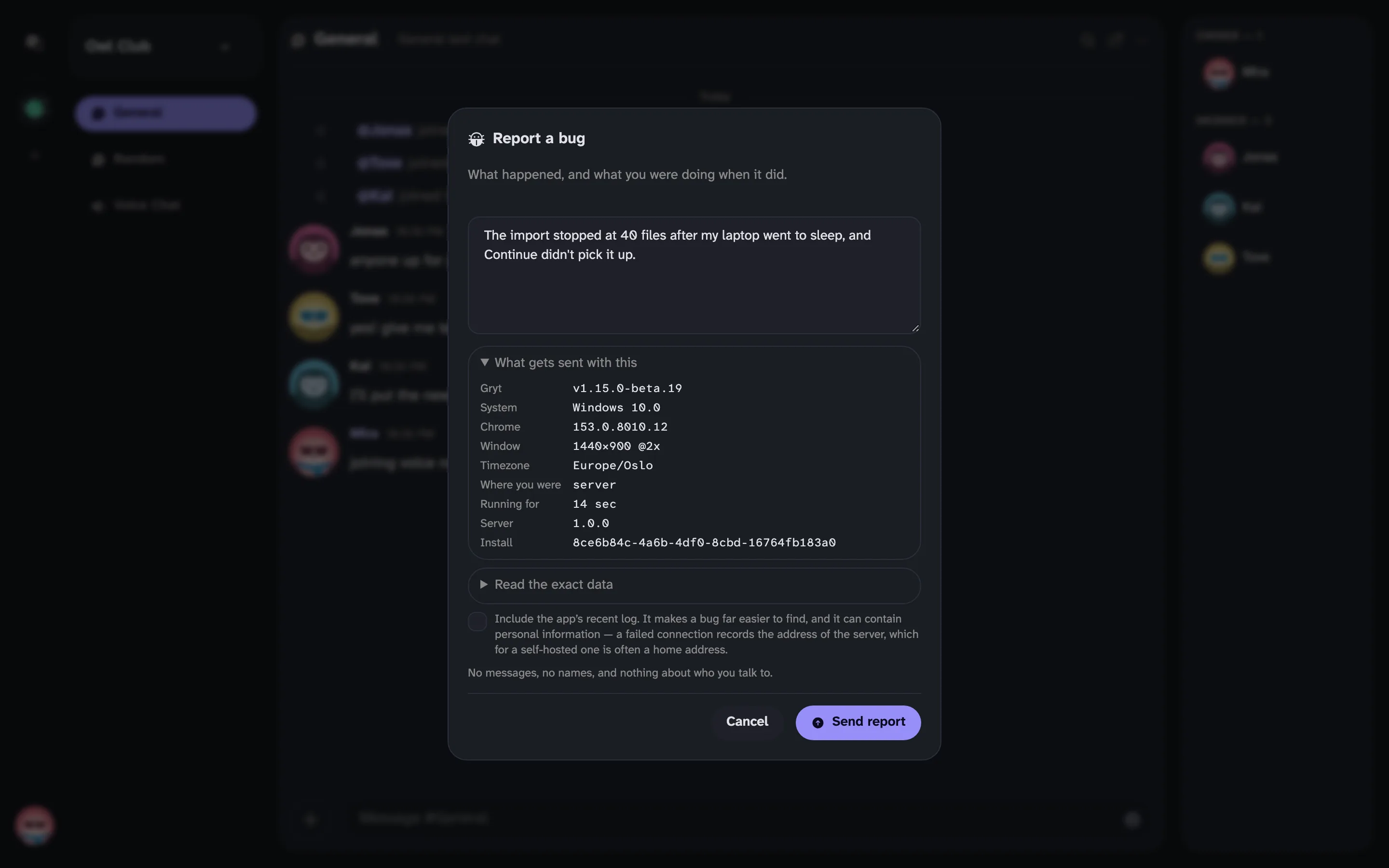 The Report a bug form, with a sample report