Direct Messages, Redrawn
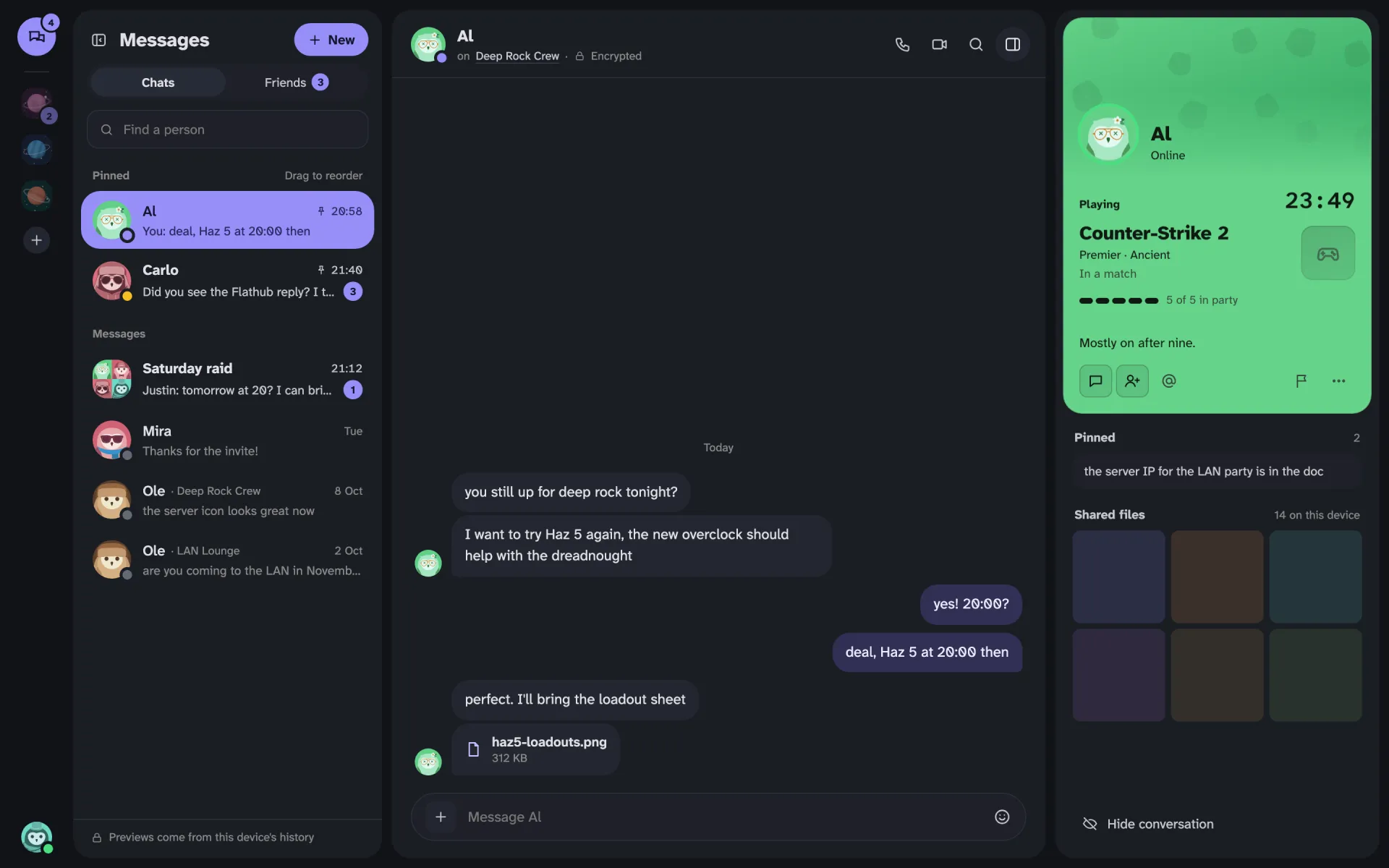
Direct messages got their own space in 1.14, on the desktop and on the phone. Every screen was drawn on a canvas first, and most of the first drafts were thrown out.
Direct messages in Gryt worked, but they didn't feel like anything. The list was a list of names, the chat looked like a channel, and nothing told you who the person on the other end was. 1.14 changes all three, on the desktop and on the phone.
What's in it
Messages has its own place now, above your servers on the desktop and as a tab on the phone. Every conversation from every server you're on is in one list, newest first. Unread ones are bold with a count.
You can pin the people you talk to most. They stay on top in the order you drag them into, and a new message doesn't shuffle them around. Pins live on your device only, so the server never learns who you pinned. The cost is that they don't follow you to another device yet.
The server name only shows up when it has to. If you know two people called Ole on two servers, you get two rows, and each says which server it's from. Everyone else is just a name.
The panel on the right is the person's own member card, with the colour and banner they picked, what they're playing, and what's pinned and shared in the conversation below it. It can be hidden. Groups show their members there instead, and anybody in a group can rename it or add people.
The previews under each name come from this device's history. The server only stores encrypted messages, so it has nothing it could send you to show there, and the bottom of the list says so.
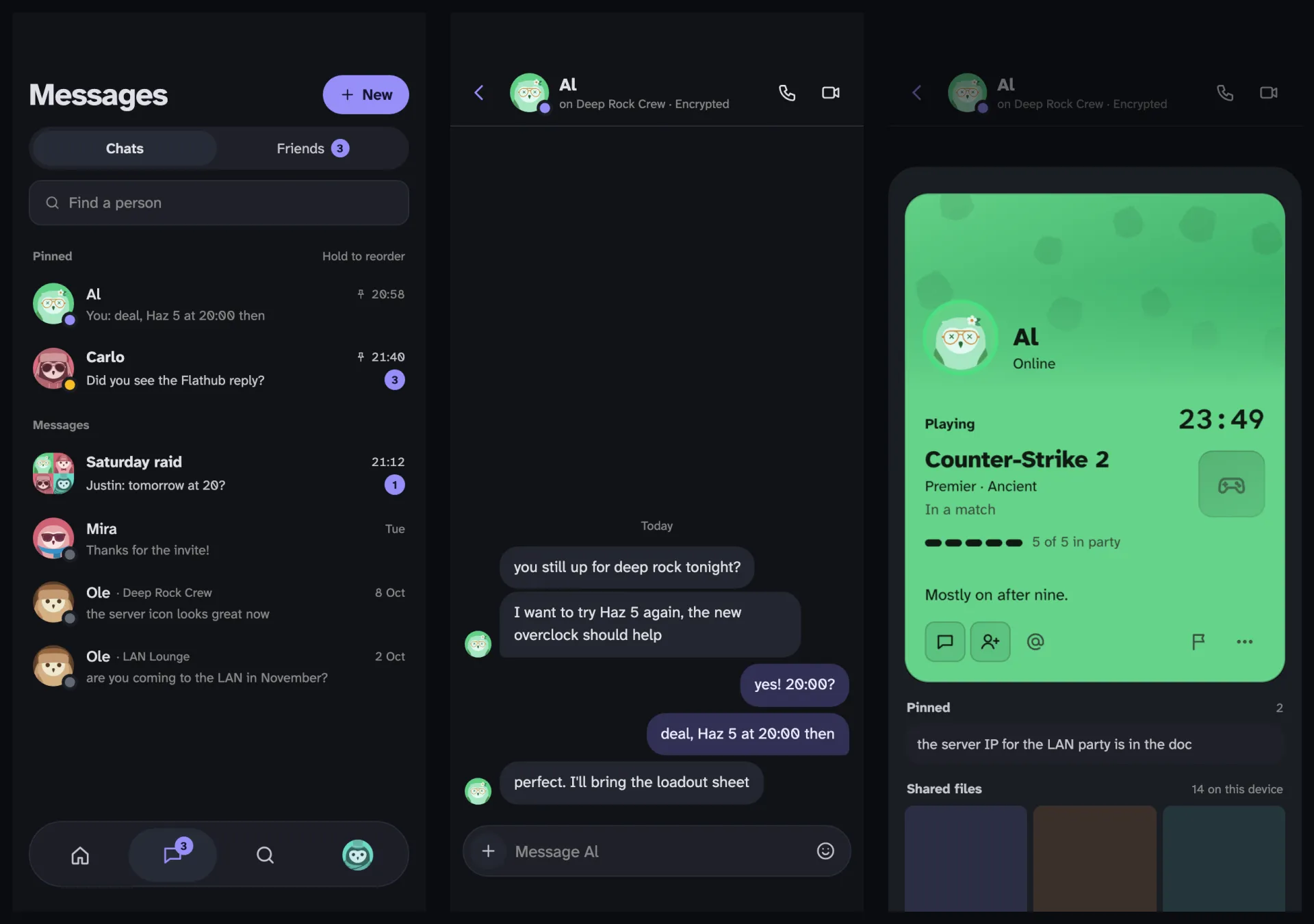
The phone got the same thing: a Messages tab between Servers and Search, the same pinned list, and the card as a sheet when you tap someone's name.
Drawn first, built second
Every screen here was drawn before any of it was built, on a canvas in Claude Design. Claude drew the boards and I said what was wrong with them, again and again. It's the first time I've done Gryt that way, and it was a lot cheaper to throw a board away than a pull request.
Plenty got thrown away. The list started out split into Unread and Recent, until it was obvious that a conversation jumps sections the moment you read it. The right panel was the whole card at full height for a while, which looked great and left no room for anything else. One draft put a call bar at the bottom left of the screen, and I recognised it as Discord's before I'd finished looking at it.
Calls were the hardest part. Gryt already had controls for a call at the bottom of the server rail, and they've been there since about 2021. They work, but you have to know they're there. On the desktop they grew into a green capsule with the call's face on top, so you can see who's talking and get back to the call from anywhere.
The phone went through three versions. A bar across the top pushed everything down. A slot in the tab bar brought back a problem we'd already removed once. So it's the round button that floats above the tabs, the same one as before, but it shows the call's face now and lights up when someone talks. Holding it gives you mute, deafen and leave without opening the call.
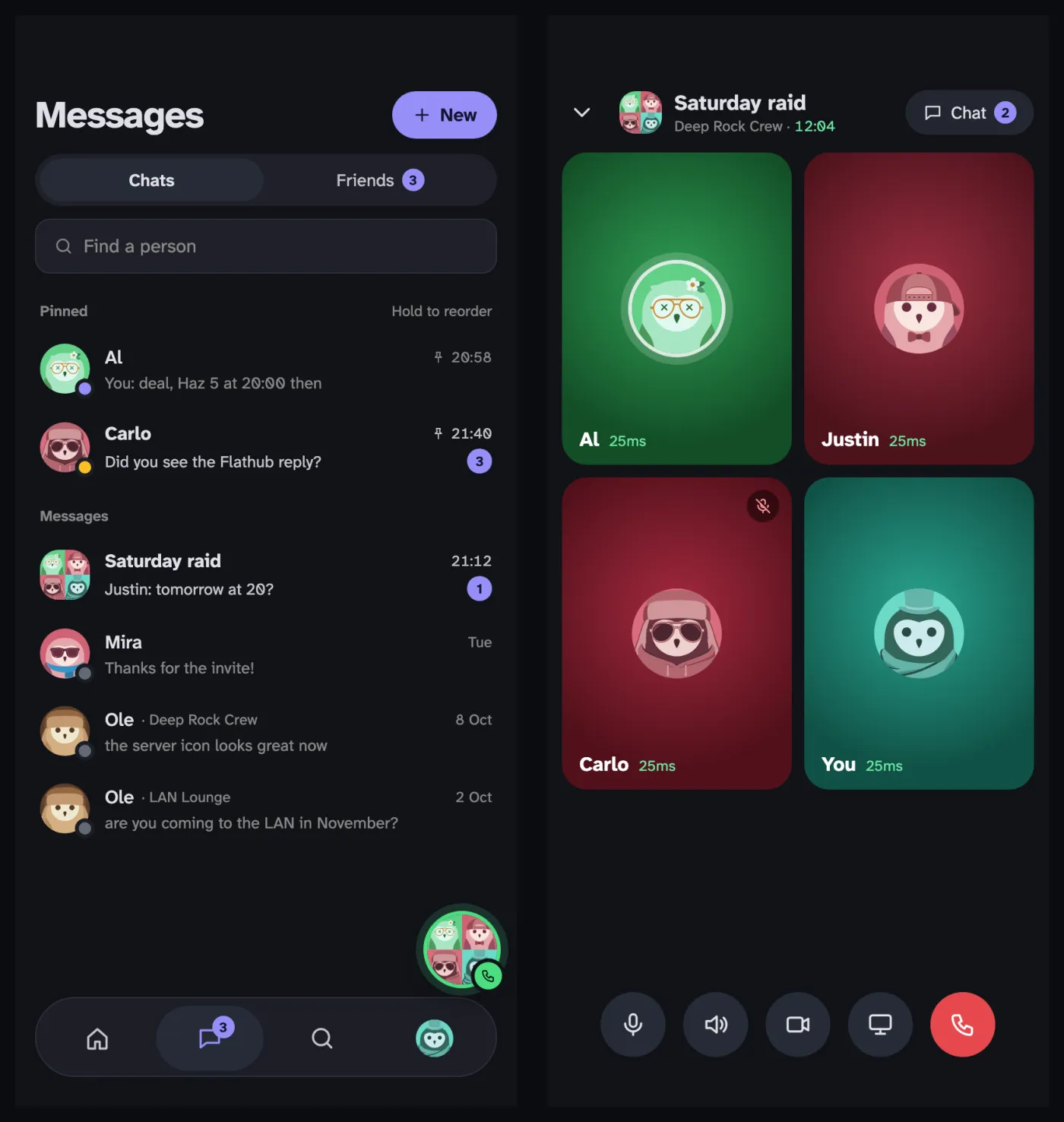
Groups used to get an egg as a picture when nobody had uploaded one. It looked like Easter. Now they get up to four of their members in a rounded square, which changes as people join and leave.
When a conversation isn't encrypted
Direct messages are encrypted on your device. That only works when everyone in the conversation has a key the app will accept, and sometimes somebody doesn't. Usually their app is too old.
Gryt used to say so in one line above the messages. Now each message that went out unencrypted gets a small red dot, the box you type in says "(not encrypted)", and the header says Not encrypted. Click that and it tells you why, and what you can do about it.
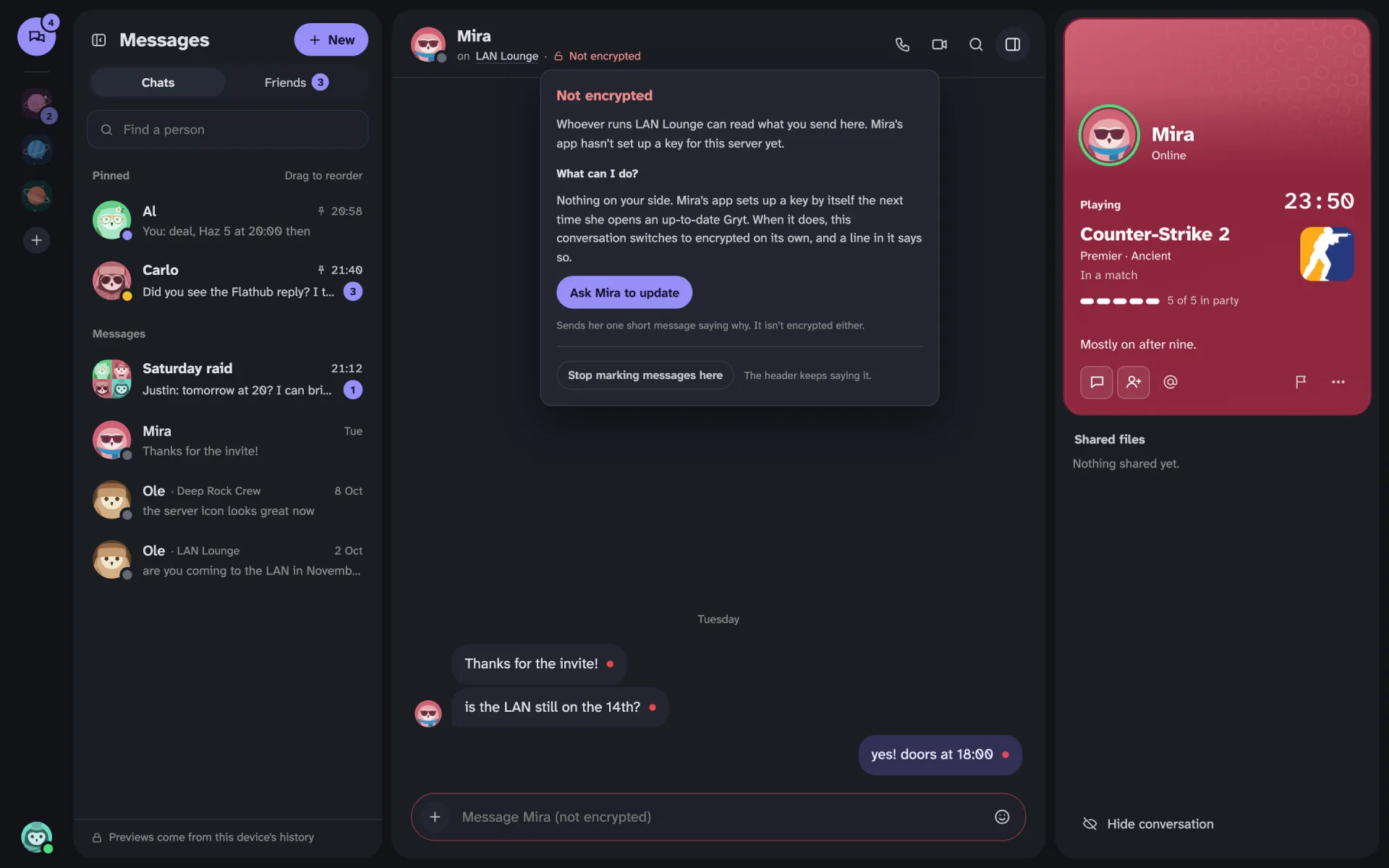
Most of the time there's nothing to do on your side. Their app sets up a key by itself the next time they open an up-to-date Gryt, the conversation switches to encrypted on its own, and a line in the chat marks where that happened. If you'd rather they got on with it, Ask Mira to update sends one short message saying why.
If you've seen the dots and don't care, Stop marking messages here takes them away for that conversation. The header keeps saying it.
Who added whom
When someone adds a person to a group, everyone in it now sees a line saying who added whom. Nobody turns up in a group without the others knowing.
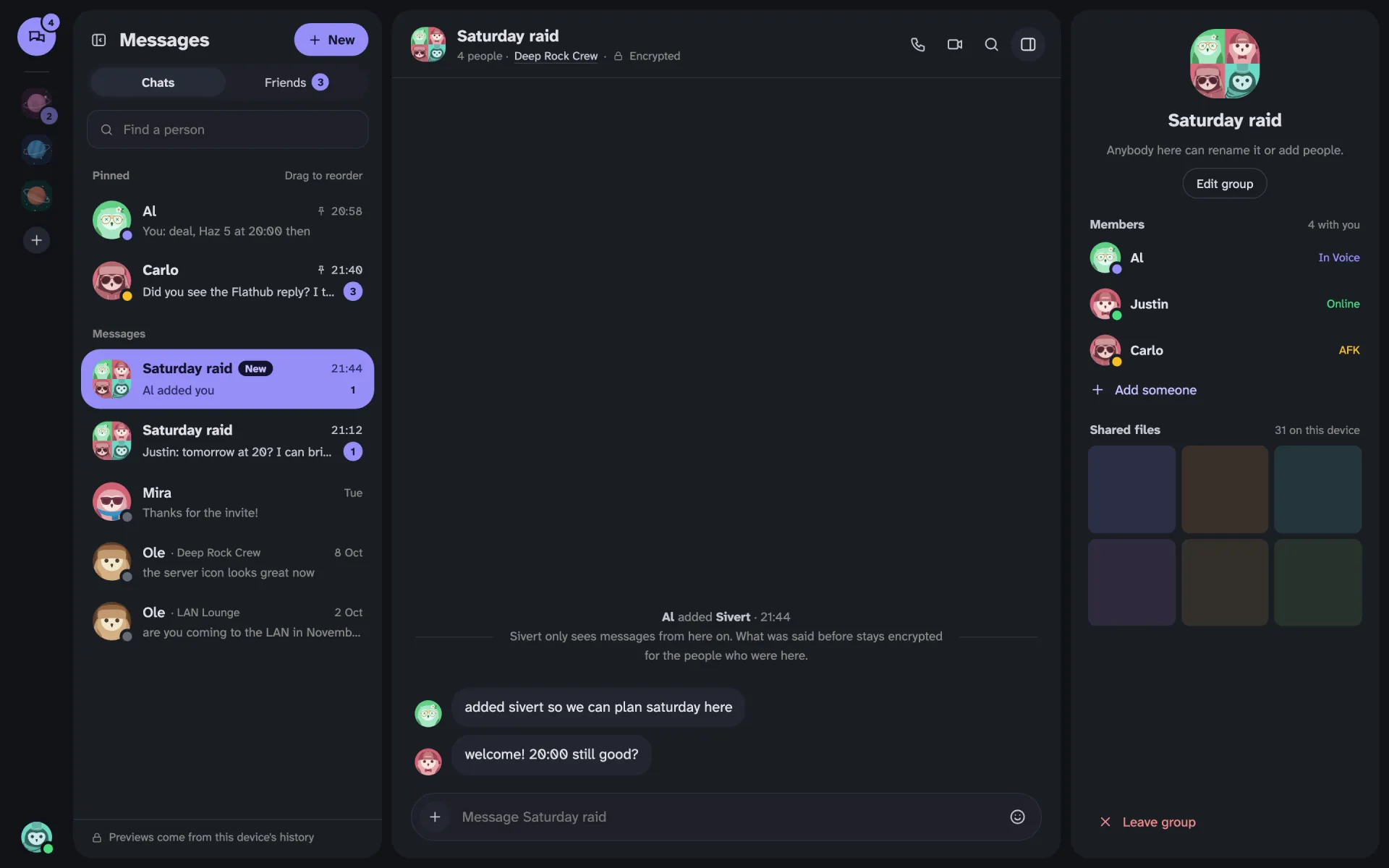
The line also says what the new person can read. In an encrypted group that's messages from that point on. What was said before stays with the people who were there. If the group isn't encrypted, the line says that the new person can read the history too, because right now they can. Cutting that off at the moment they joined needs a change on the server, and that's next.
A server that can't be reached
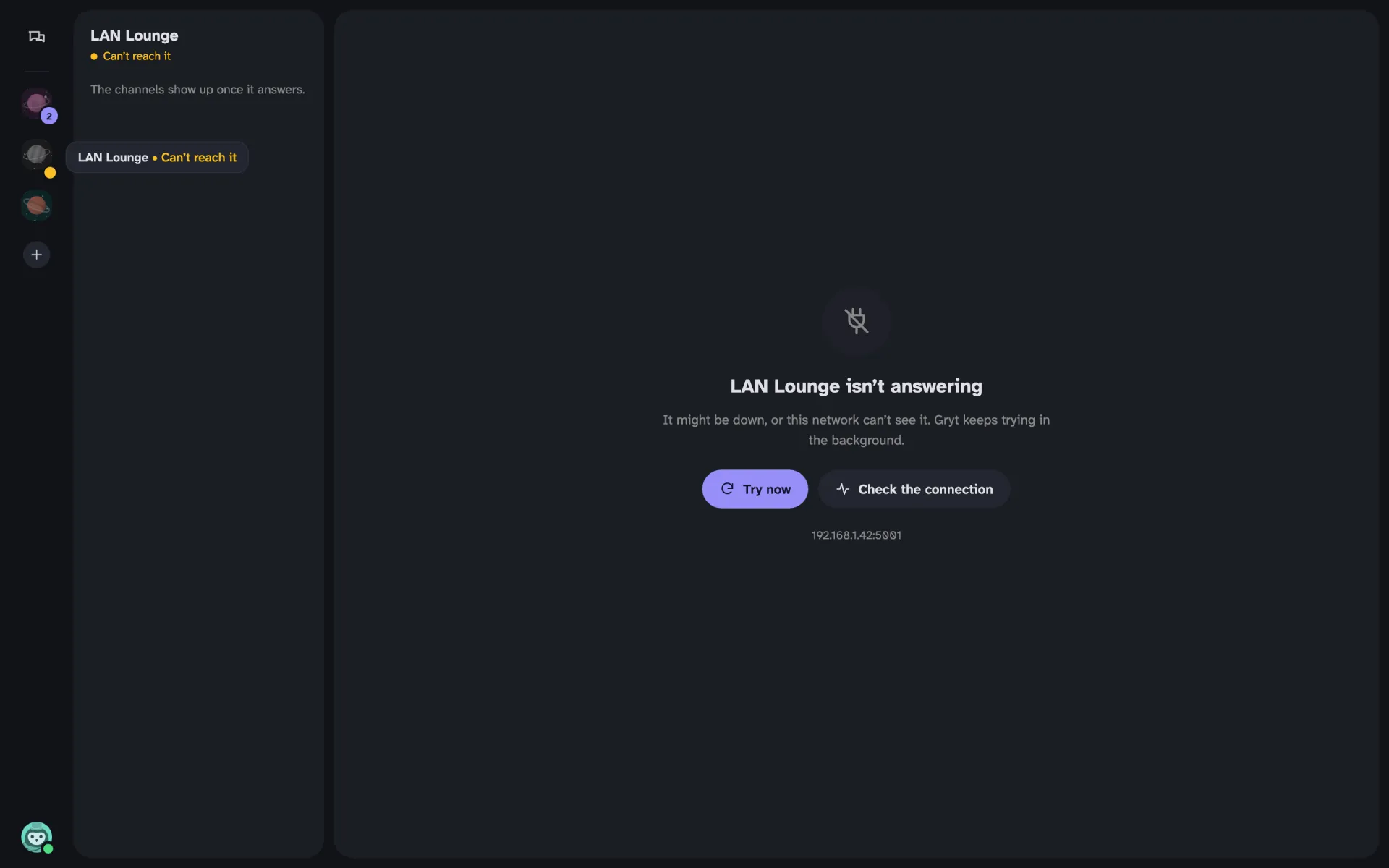
This one came out of testing the rest. When a server stopped answering, the top of the screen fell apart. Now the header stays and says Can't reach it in yellow, and the middle of the screen says the server might be down, or your network can't see it. Try now tries straight away, and Check the connection runs through what might be wrong.
Getting it
This is in 1.14. The desktop app updates itself, and the phone app follows in the next test builds. The parts that need the server, like the "added" line, need your server on 1.12 or newer.