Make an invite
Create an invite link, choose how many people can use it, and let people on your network in without one.
Make the link
Open Invites
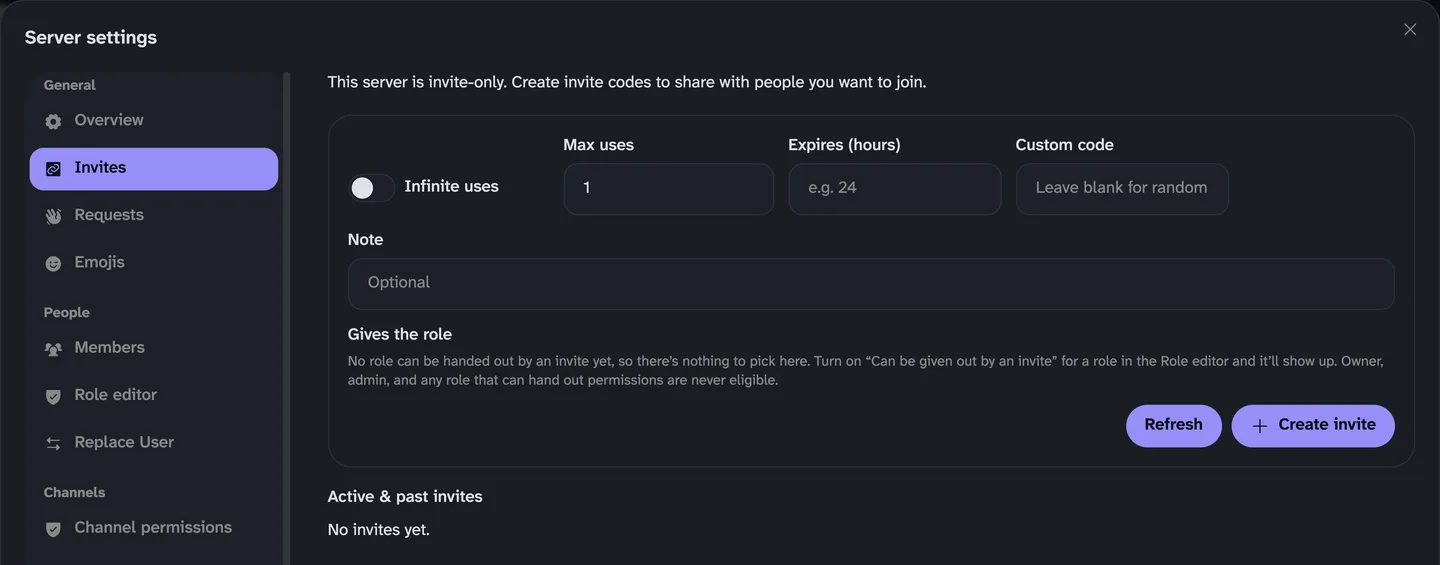
Go to Server settings → Invites.
Choose the limits
Fill in Max uses and Expires (hours) if you want limits, then press Create invite. Max uses starts at 1, so raise it or turn on Infinite uses for more than one person.
Copy it and send it
Your invite appears in the list. Revoke it there if you change your mind.
Other ways in
Everyone in the same room?
Turn on Allow anyone on LAN to join in Server settings → Overview, and nobody on your network needs a code.
Give people a role
An invite can give people a role when they join. The role needs Can be given out by an invite turned on first.
It isn't working?
Still stuck? Ask us.
Tell us what you tried and what it said. A screenshot helps a lot. Blur any invite code first.