Gryt Tells You What Changed
The app now shows what a release did, the first time you open it. Written by hand, sorted by kind, and quiet when there is nothing to say.
Gryt updates itself in the background, so people were running new builds without ever being told what was in them. The releases page has had a hand-written line for every version for a while, but you had to go and look it up, and almost nobody does.
So the app tells you instead. The first time you open a version you haven't seen, it says what changed in it, and then gets out of the way.
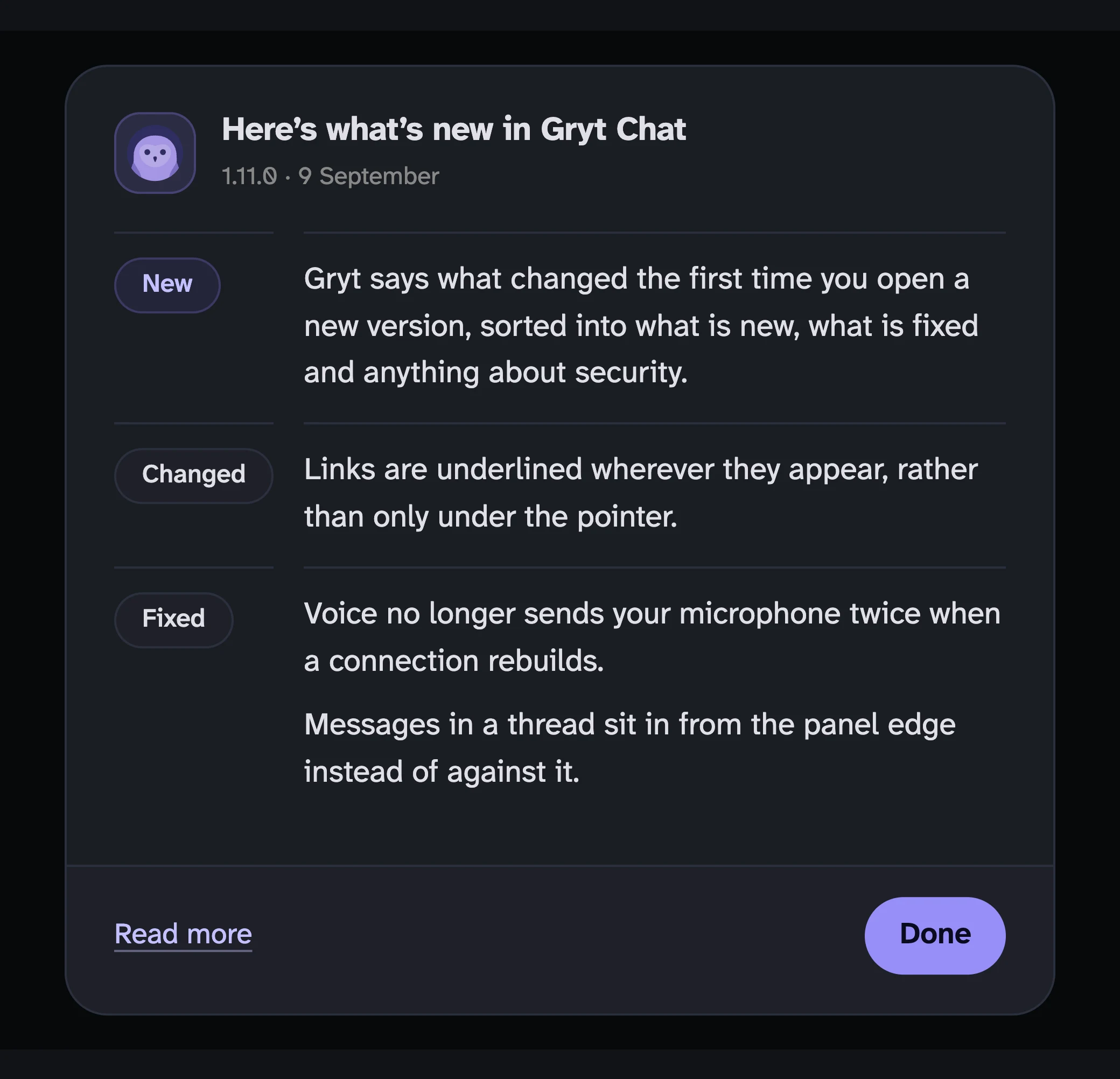
The what's-new dialog in Gryt, headed "Here's what's new in Gryt Chat" with the version and date underneath, and three groups of changes labelled New, Changed and Fixed
Where the lines come from
The obvious way to build this is to take the release's commit subjects and show them. I tried that a while back for the changelog page and threw it away. For 1.9.14 the first commit subject is "Cut the comments in the auth path", out of twenty-two commits, and for somebody wondering whether they missed anything that is worse than nothing.
So the lines are written by hand, one per release, from the commit range rather than from memory. The app fetches them from the same file the changelog page renders. There's one source and both surfaces read it.
New, fixed, changed and security
A release usually does more than one thing, and the things are not the same kind of thing. A new feature and a fixed crash want reading differently, and a security fix wants reading first.
Each change carries a kind — New, Fixed, Changed or Security — and the dialog groups by it. Security leads wherever it appears; below the features it is the half people scroll past. New and Security are the only two that get colour, since those are the ones that decide whether you read the rest or press Done.
The kinds are optional. Every release before 1.10 has a line and no kinds, and those show the sentence as it was written. Splitting eight months of history into categories would have been an afternoon of retrofitting for something nobody sees: the dialog only ever shows the version you have just updated to.
When the dialog stays shut
A fresh install gets nothing. There's no previous version to compare against, and announcing the version somebody just chose to download reads as a bug.
A release with no line written yet gets nothing, and doesn't burn the version either. Lines are sometimes written twenty minutes after the release goes out. If it had recorded the version on a failed lookup, that release would be skipped for good.
Offline gets nothing. The next launch tries again.
The full note on the site
The link at the bottom goes to that release's page on this site. That page didn't exist for most releases until this shipped. Only the eight or so with a full written note had one, and everything else answered a 404. Every release has a page now: the note if somebody wrote one, the grouped list if the release was split into kinds, and the one-line summary otherwise.